
Can a TV Installer Connect and Test Your Entertainment Devices?
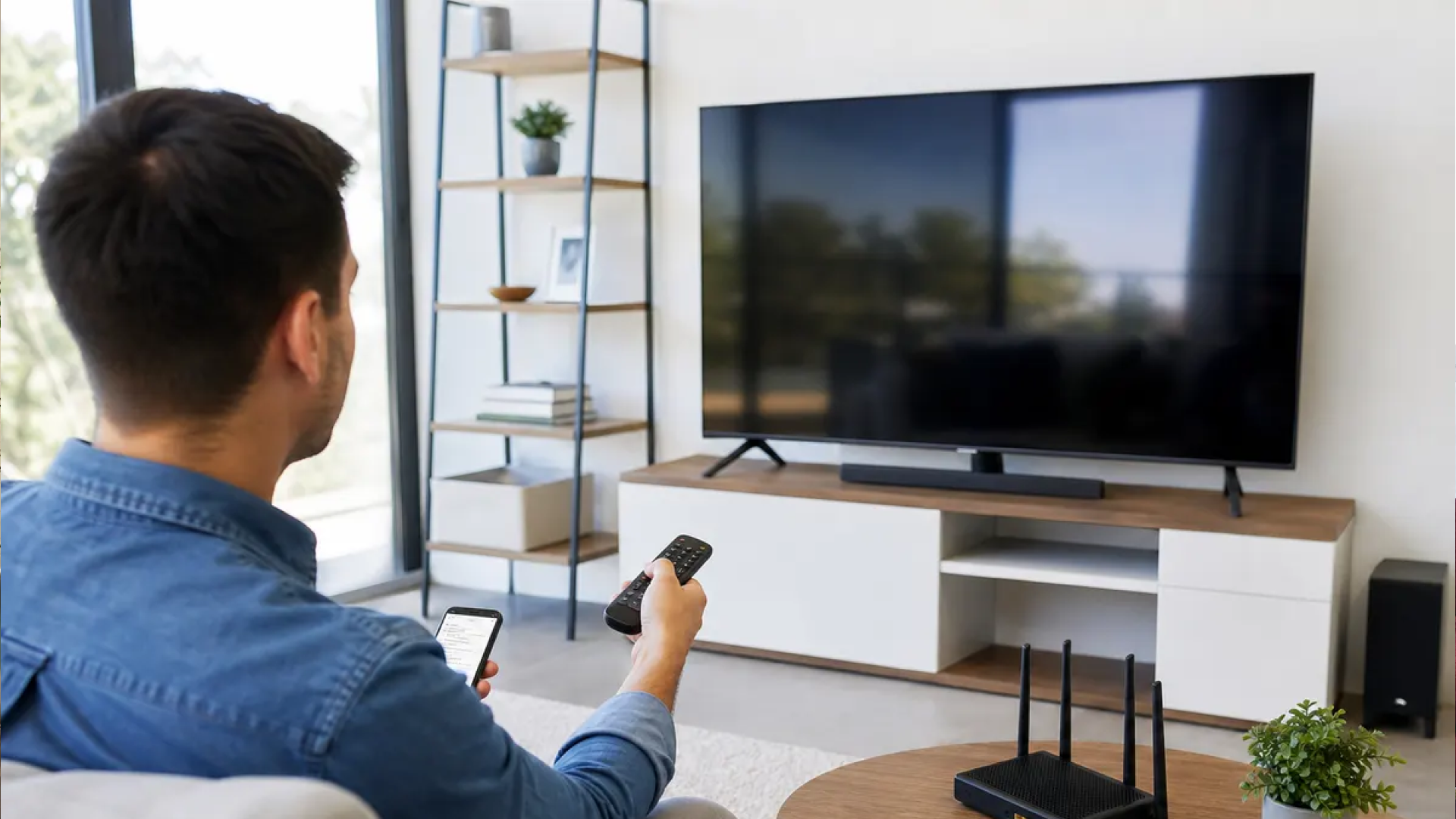
Installing a television is only one part of creating a functional home entertainment setup. After a TV is mounted on the wall, you still need to connect devices such as streaming players, game consoles, soundbars, Blu-ray players, cable boxes, receivers, and other equipment. If those connections are incorrect or a cable is routed poorly, you may end up with a beautiful TV that does not deliver the experience you expected.
A professional TV installation service can often do more than attach a television to a wall. Depending on the service and equipment involved, a TV installation can include connecting entertainment devices, organizing cables, configuring basic settings, and testing the system before the installer leaves.
This matters because modern entertainment systems often involve several devices working together. A television may need to receive video through HDMI, send audio to a soundbar, connect to Wi-Fi, communicate with a streaming service, and recognize multiple input sources. Testing each part helps identify connection problems before they become frustrating.
What Does a TV Installer Actually Do?
A professional TV installer typically handles the physical installation of the television and may also assist with connected entertainment equipment. The exact scope depends on the installer, the equipment, and the complexity of the system.
For a typical residential installation, the work may include:
Mounting the TV securely to the wall
Connecting HDMI and other appropriate cables
Connecting a cable or satellite box
Connecting streaming devices
Connecting gaming consoles
Connecting a soundbar or audio equipment
Organizing and concealing cables
Selecting the correct TV inputs
Connecting the television to Wi-Fi when setup is included
Testing video and audio output
Confirming that connected devices communicate properly with the TV
The goal is not simply to make the television turn on. A properly tested setup should allow the homeowner to understand how the major components work together.
TV Installation vs. Entertainment System Setup
TV mounting and entertainment device setup are related, but they are not exactly the same service.
TV mounting focuses primarily on securely attaching the television to the wall at an appropriate height and position. Learn more about optimal positioning in our guide on how high a TV should be mounted.
Entertainment setup involves connecting and configuring devices that work with the television.
A customer may request both services during the same appointment. For example, someone moving into a new home may want a 75-inch television mounted, a soundbar installed beneath it, a streaming device connected, gaming consoles hooked up, and the entire system tested.
Why Testing Matters After Installation
A system can appear finished while still having connection problems.
For example, an HDMI cable may be connected to the wrong input. A soundbar may be receiving no audio because the TV's audio output is configured incorrectly. A gaming console may work, while the streaming device does not display a picture.
Testing provides an opportunity to catch these issues immediately.
A professional installer can check basic functions such as:
TV power
Picture output
HDMI inputs
Audio output
Soundbar operation
Streaming device connection
Game console display
Remote-control functionality
Network connectivity when network setup is included
This final check can save the homeowner from having to troubleshoot the installation later.
Which Entertainment Devices Can Be Connected to a TV?
The exact devices that can be connected depend on the television's available ports and the equipment being used. Most modern TVs support HDMI connections, while some systems may use optical audio, Ethernet, USB, Wi-Fi, Bluetooth, or other connection methods.
Streaming Devices
Streaming players are among the most common accessories connected to modern televisions.
Examples include devices used for services such as Netflix, YouTube, Prime Video, Disney+, and other streaming platforms.
A TV installer may connect a streaming device to an available HDMI port and confirm that the television recognizes the correct input.
If the device requires an internet connection, basic network setup may also be possible depending on the service requested.
Cable and Satellite Boxes
Traditional cable and satellite receivers can also be connected to a wall-mounted TV.
The installer can route the appropriate cable from the receiver to the television, select the correct input, and verify that the television receives a picture and sound.
This is particularly useful when the equipment is being placed inside a cabinet or another location away from the television.
Gaming Consoles
PlayStation, Xbox, Nintendo systems, and other gaming devices commonly connect through HDMI.
A professional installer can connect the console, select the appropriate input, and test whether the TV displays the console's video signal.
For more advanced gaming setups, the TV's supported resolution and refresh-rate capabilities may also need to be considered.
Soundbars and Audio Equipment
A soundbar can significantly change how a television system is used, but it also introduces another connection into the setup.
Depending on the equipment, a soundbar may connect through:
HDMI ARC or eARC
Optical audio
Bluetooth
Other supported audio connections
After installation, the system should be tested to confirm that sound is coming through the intended speakers.
If a soundbar is connected through HDMI ARC or eARC, the TV's compatible HDMI port and audio settings need to be configured correctly.
AV Receivers and Home Theater Equipment
More advanced home theaters may include an AV receiver, surround-sound speakers, media players, gaming systems, and several HDMI sources.
These installations can be considerably more complicated than connecting one streaming device.
A professional installer can help organize the physical connections and test the system, although specialized programming or advanced home automation may require a dedicated home theater or control-system professional.
How Does a Professional TV Installer Test the System?
Testing should follow a logical process rather than simply turning the TV on and assuming everything works.
Step 1: Check the Physical Connections
The installer first verifies that the relevant cables are connected securely.
This includes checking HDMI cables, power connections, audio cables, network cables, and other connections used by the particular setup.
Loose or incorrectly connected cables are among the simplest causes of equipment problems.
Step 2: Verify the TV Inputs
Modern televisions can have several HDMI inputs.
The installer can confirm which device is connected to each port and select the corresponding input on the television.
For example:
HDMI 1 — Cable box
HDMI 2 — Streaming device
HDMI 3 — Gaming console
HDMI 4 — AV receiver
Clear organization makes the system easier to use later.
Step 3: Test Video
Each connected video source should be checked.
The installer can switch between inputs to confirm that the television receives a picture from the connected equipment.
If one source displays a blank screen, the issue can be investigated before the installation is considered complete.
Step 4: Test Audio
Audio should also be checked separately.
The installer can confirm that sound comes from the television, soundbar, receiver, or other intended audio equipment.
If a soundbar is installed, volume control and audio output settings should also be verified.
Step 5: Test Network-Connected Equipment
Some entertainment devices require Wi-Fi or Ethernet.
A basic network check can confirm whether the television or connected device is online when network setup is part of the installation.
This does not necessarily mean that the installer will troubleshoot every possible internet service problem. Router configuration, ISP problems, advanced networking, and complicated home networks may require specialized assistance.
Step 6: Demonstrate Basic Operation
A useful installation should leave the homeowner with a clear understanding of how to use the system.
The installer may explain which remote controls which device, how to change HDMI inputs, and how to access common functions.
This simple walkthrough can prevent confusion after the installer leaves.
What If the TV Turns On but a Device Does Not Work?
A TV turning on does not necessarily mean the entire entertainment system is functioning correctly.
If one device does not display an image, several things could be responsible.
Check the HDMI Input
The television may simply be set to the wrong source.
Switching between the available HDMI inputs can determine whether the device is connected to a different port.
Check the Cable
A damaged, loose, or incorrectly connected HDMI cable can prevent a device from displaying properly.
The connection should be checked at both ends.
Check the Device's Power
Some equipment may appear connected while remaining powered off or in standby mode.
Confirm that the device is actually running.
Check Compatibility
Older equipment may have different video or audio requirements than newer televisions.
Resolution, HDCP, HDMI standards, refresh rates, and audio formats can affect compatibility in more complicated setups.
If the problem goes beyond basic installation and connection, specialized technical troubleshooting may be necessary.
Can a TV Installer Hide the Cables?
Yes, cable management is commonly included or available as part of professional TV installation, depending on the service.
Cable concealment can make a major difference in the finished appearance of a wall-mounted television.
Instead of allowing HDMI, power, and audio cables to hang visibly beneath the TV, an installer can organize the wiring and use an appropriate cable-management method.
Surface Cable Management
Cable channels, raceways, clips, and other management products can keep wires organized along the wall.
This approach can be useful when cutting into the wall is not appropriate.
In-Wall Cable Routing
In some installations, cables may be routed inside the wall using appropriate installation methods and products.
Electrical wiring and in-wall cable installation should follow applicable safety requirements. Power cables should not simply be pushed inside a wall where they are not designed or permitted to be installed.
For complicated wiring projects, a qualified professional should determine the appropriate installation method.
Can a TV Installer Set Up a Smart TV?
Basic Smart TV setup may be included with professional TV installation, depending on the service.
A Smart TV setup can involve:
Connecting the television to power.
Connecting it to Wi-Fi or Ethernet.
Selecting the appropriate region and basic settings.
Signing into the customer's accounts when requested.
Installing or organizing supported applications.
Testing streaming functionality.
Customers should understand that installers generally should not be given unnecessary passwords or sensitive account information. When possible, the homeowner can enter account credentials personally.
Smart TV Setup Is Different From App Troubleshooting
Basic setup is different from resolving every problem with a streaming service.
For example, if Netflix is experiencing an account problem or an internet provider is having an outage, mounting the TV does not automatically solve that issue.
The installer can establish and test the physical and basic network connections, while account-specific or provider-specific problems may need to be handled separately.
What Should You Prepare Before the Installer Arrives?
A little preparation can make the installation more efficient.
Before the appointment, consider which devices you want connected.
Make a list of:
TV model and size
Streaming devices
Gaming consoles
Cable or satellite equipment
Soundbar or receiver
Network equipment
Devices that need to remain hidden
Preferred location for entertainment equipment
It is also helpful to have the relevant remotes available.
If you already own HDMI cables or other accessories, place them near the equipment so the installer can determine whether they are appropriate for the setup.
Decide Which Devices You Actually Use
Not every device needs to remain connected.
If you have several older gaming consoles, unused media players, or outdated equipment, removing unnecessary components can simplify the entertainment system.
A cleaner setup generally means fewer cables, fewer inputs to manage, and fewer potential points of failure.
Common Misconceptions About TV Installation
A Mounted TV Automatically Includes Device Setup
Not necessarily.
Some installers provide mounting only, while others offer equipment connection and testing as part of a broader installation package.
Always confirm the service scope before scheduling.
Any HDMI Cable Will Solve Every Problem
HDMI cables carry digital audio and video, but different systems can have different bandwidth and feature requirements.
A basic cable may work perfectly for one setup but may not support every feature required by another.
The appropriate cable depends on the devices and the capabilities being used.
The Installer Should Troubleshoot Every Internet Problem
TV installation professionals can often connect a television or streaming device to an existing network.
That does not mean they are responsible for every Wi-Fi, router, modem, ISP, or account issue.
Advanced network problems may require a networking professional or the internet service provider.
A Bigger TV Requires a Completely Different Setup
Not necessarily.
The size of the television affects mounting considerations, viewing distance, wall location, and hardware requirements. The entertainment devices themselves still connect through the television's available inputs and supported technologies.
The important factors are compatibility, connection type, mounting requirements, and the overall configuration.
Benefits of Having the System Connected and Tested Professionally
Professional installation can provide several practical benefits beyond the physical mounting of the television.
Fewer Connection Mistakes: A professional can identify incorrect ports, loose connections, and obvious setup issues during installation.
Cleaner Cable Management: Organized cables create a cleaner appearance and make future troubleshooting easier.
Better Equipment Organization: Clearly identifying which device is connected to which input can make the entertainment system easier to operate.
Immediate Testing: Testing the system during installation gives the homeowner an opportunity to identify problems while the equipment is already being worked on.
A More Complete Installation: Instead of treating the TV as a standalone object, the installer can consider the television, soundbar, streaming equipment, gaming systems, and wiring as parts of one entertainment setup.
How to Choose a TV Installation Service
If you are hiring someone to install a television and connect your entertainment equipment, ask specific questions before the appointment.
Find out:
Is TV mounting included?
Are entertainment devices connected?
Is soundbar installation available?
Is cable management included?
Can HDMI and other cables be organized or concealed?
Is Smart TV setup included?
Will the installer test each connected device?
Is network wiring available?
Can an existing TV be removed and reinstalled elsewhere?
Are same-day or next-day appointments available?
These questions help establish expectations before work begins.
For homeowners in the Dallas–Fort Worth area, professional installation can be especially useful when a setup involves a large television, multiple entertainment devices, a soundbar, concealed cables, or equipment that needs to be relocated.
Conclusion
A professional TV installer can often do much more than mount a television to the wall. Depending on the service, an installer can connect streaming devices, gaming consoles, cable equipment, soundbars, receivers, and other compatible entertainment components.
The final testing step is just as useful as the physical installation. Checking video, audio, inputs, device connections, and basic network functionality can identify problems before the homeowner starts using the system.
A well-planned TV installation should leave you with more than a securely mounted screen. The equipment should be organized, the cables should be managed appropriately, and the connected devices should be tested so you know the system is ready to use.
If your Dallas–Fort Worth entertainment setup includes multiple devices, sound equipment, cable management, or network wiring, discuss the complete scope of the installation before the appointment. That makes it easier to create a setup that looks clean and works the way you expect.
Frequently Asked Questions
Can a TV installer connect my streaming device?
Yes, many TV installation services can connect compatible streaming devices such as media players or streaming sticks. The installer can typically connect the device through HDMI, select the correct TV input, and verify that the television recognizes the device.
Can a TV installer connect a soundbar?
A TV installer can often connect a compatible soundbar using HDMI ARC/eARC, optical audio, Bluetooth, or another supported connection. The installer can also test audio output and confirm that the TV and soundbar communicate correctly.
Can a TV installer connect a gaming console?
Yes. Gaming consoles can typically be connected to a compatible HDMI input on the television or an AV receiver. The installer can test the video signal and make sure the correct input is selected.
Does TV installation include testing the connected devices?
It depends on the service package. When device connection and testing are included, the installer can check the major components for basic video and audio functionality before completing the appointment.
Can a TV installer set up Wi-Fi on a Smart TV?
Basic Smart TV network setup may be included with some installation services. The TV can be connected to an existing Wi-Fi or Ethernet network and tested for basic connectivity. Router, ISP, or advanced networking problems may require separate assistance.
Can a TV installer hide cables behind a wall?
Cable concealment may be available through surface management or appropriate in-wall routing. The correct method depends on the wall, wiring requirements, equipment, and applicable safety considerations.
Can a TV installer connect multiple entertainment devices?
Yes, a television can often be connected to several devices, including gaming consoles, streaming players, cable boxes, soundbars, and receivers. The number of devices depends on the TV's available inputs and the overall system configuration.
What should I have ready before a TV installation?
Have the television, remotes, entertainment devices, available cables, and any relevant accessories ready. It also helps to identify which devices you want connected and where you want equipment positioned before installation begins.
Can a TV installer remove and reinstall an existing TV?
Many professional TV installation services offer TV removal and reinstallation. The installer can remove the existing television, assess the new location and mounting requirements, and reinstall the TV using appropriate mounting hardware.
Can a TV installer help with network wiring?
Some TV installation companies provide network wiring as part of their services. This can be useful when a television, streaming device, or entertainment system needs a wired Ethernet connection rather than relying entirely on Wi-Fi.