
What Does a Professional Smart TV Setup Include?
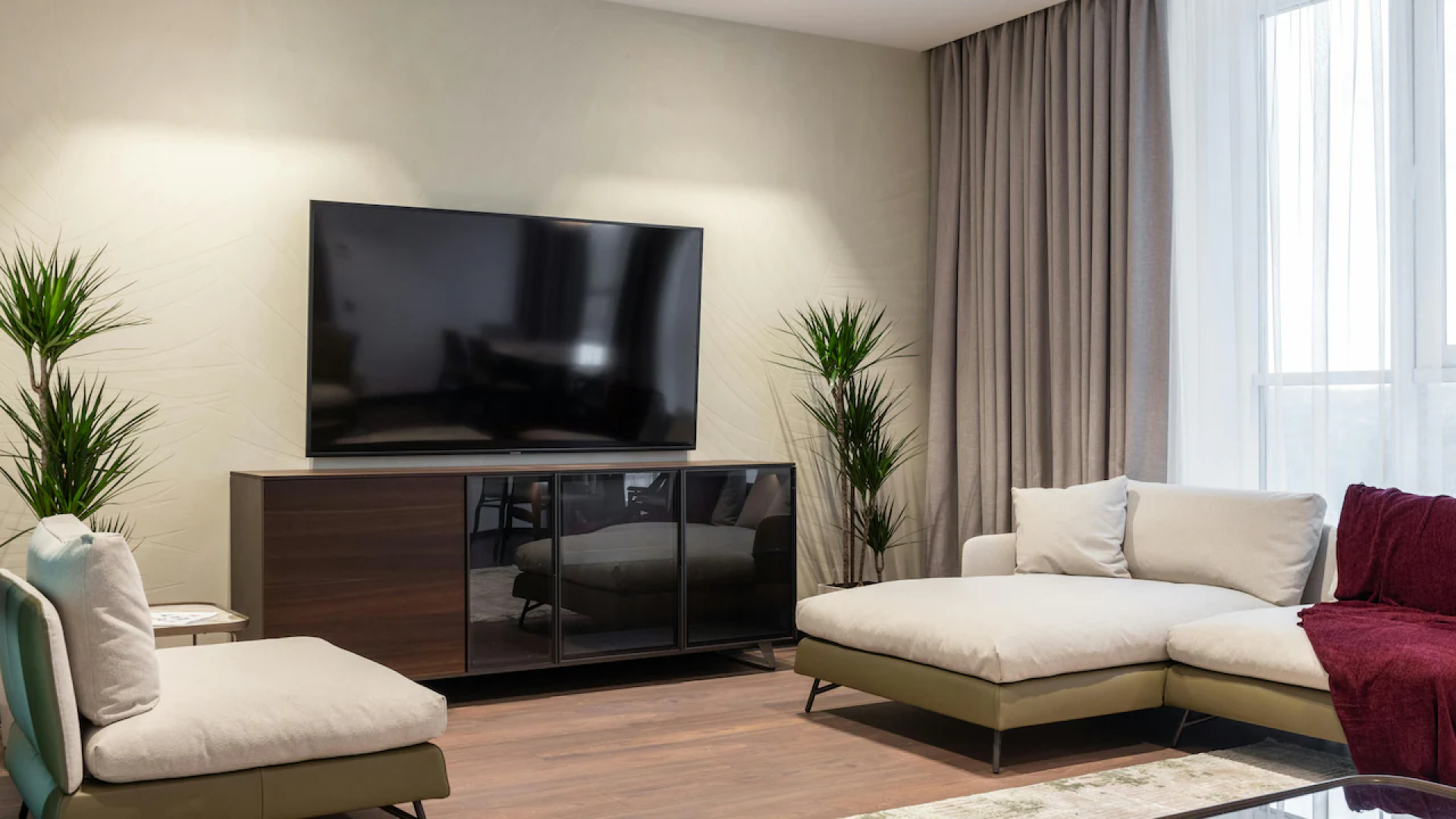
Setting up a new Smart TV can look simple until you actually have to connect everything. The television needs to be mounted or positioned correctly, connected to the internet, paired with the right devices, configured for your viewing preferences, and tested to make sure everything works together.
A professional Smart TV setup goes beyond taking the television out of the box and plugging it into a wall. Depending on the room and equipment, the process may include TV mounting, Wi-Fi or wired network connection, streaming app configuration, soundbar installation, remote pairing, cable management, device connections, and basic troubleshooting.
For homeowners and businesses in the Dallas–Fort Worth area, professional TV installation can also help create a cleaner and safer entertainment setup. Proper placement, secure mounting, organized wiring, and correct device configuration can make the system easier to use from the moment installation is finished.
What Is Included in a Professional Smart TV Setup?
A professional Smart TV setup typically involves preparing the television, connecting it to the network, configuring its software and settings, connecting external equipment, and testing the finished system.
The exact work depends on the TV, wall or stand, available connections, internet setup, and other home entertainment equipment. A basic setup may take only a few configuration steps, while a more complete installation can involve several connected devices.
TV Placement and Installation
The first step is determining where the television should go. This could mean placing it on an existing entertainment console or mounting it directly to a wall.
For wall-mounted TVs, the installer considers factors such as wall construction, viewing height, mounting hardware, and the location of electrical and cable connections. The goal is to create a secure installation while keeping the television properly aligned.
TV size also affects mounting decisions. A large screen may require different mounting hardware and installation considerations than a smaller television.
Mounting Hardware Selection
Not every TV mount works with every television or wall.
Professional installation generally involves checking the TV's mounting pattern and weight requirements and selecting compatible hardware. Different mounts can also provide different movement options.
Common types include:
Fixed TV mounts
Tilting TV mounts
Full-motion TV mounts
Low-profile mounts
A fixed mount keeps the screen close to the wall, while a tilting mount can help adjust the viewing angle. A full-motion mount provides greater flexibility for rooms where viewers watch from different positions.
Smart TV Network Connection
A Smart TV needs an internet connection to access streaming platforms, software updates, online content, and other connected features.
Most Smart TVs can connect through Wi-Fi. Some models and home networks can also use a wired Ethernet connection.
During a professional Smart TV setup, the television can be connected to the available network and tested to confirm that it can communicate with online services.
Wi-Fi or Ethernet?
Wi-Fi is convenient because it eliminates the need for a network cable running to the television. Ethernet can provide a direct network connection when a wired connection is available near the TV.
The better option depends on the home's network layout, router location, wiring, and the TV's position.
Smart TV Software and Account Setup
Once the television is connected to the internet, its software and user settings can be configured.
This can include selecting the correct language and region, connecting the TV to the user's network, checking for available software updates, and configuring basic system preferences.
Some Smart TVs may also require the owner to sign into a manufacturer account or accept specific terms before certain features become available.
Streaming App Configuration
Popular Smart TVs provide access to streaming services through built-in applications or an app store.
Depending on the owner's preferences, setup may include installing or opening commonly used streaming applications and helping confirm that they are functioning correctly.
The owner generally provides their own account credentials. A professional installer should not need to retain personal passwords after setup.
Remote and Device Pairing
Smart TV systems often involve more than one remote or control method.
The television may need to be paired with a remote control, streaming device, soundbar, gaming system, or other equipment. Some TVs also support smartphone-based control through manufacturer applications.
Proper pairing reduces confusion later, especially when multiple devices are connected to the television.
Connecting External Entertainment Devices
A Smart TV often serves as the central display for several other devices.
A professional setup may include connecting equipment such as:
Streaming devices
Game consoles
Blu-ray players
Cable or satellite receivers
Soundbars
AV receivers
Media players
Computers
The installer can identify available HDMI and other input connections and connect the appropriate equipment.
HDMI Connection and Input Selection
HDMI is commonly used to transmit digital video and audio between compatible devices.
After connecting equipment, the correct input needs to be selected on the television. If a game console is connected to HDMI 2, for example, the TV needs to switch to that input when the console is being used.
Input labeling can make this easier for household members to understand.
Why Input Configuration Matters
A television can be physically connected to every device and still appear not to work if the wrong input is selected.
Professional setup includes checking the connections and confirming that the appropriate sources appear on the screen.
Soundbar Installation and Audio Setup
A television's built-in speakers may not be the preferred audio option for every room. A soundbar can provide an alternative audio setup while keeping the entertainment area relatively simple.
Professional soundbar installation can involve positioning the soundbar correctly in relation to the TV, connecting it to the television, configuring the audio output, and testing sound.
Soundbar Placement
A soundbar is often positioned directly below or near the television. Wall-mounted TVs may have the soundbar mounted separately so the two components appear visually aligned.
Placement should account for the TV's position, wall structure, furniture, cable routing, and the manufacturer's installation requirements.
Audio Connection
Depending on the equipment, the soundbar may connect through HDMI ARC or eARC, optical audio, Bluetooth, or another supported connection.
The correct connection depends on the television and soundbar models. After connection, the TV's audio settings may need to be adjusted so sound is directed to the external audio system.
Cable Management and Wire Concealment
A clean TV installation is not only about where the screen sits. Visible cables can make an otherwise well-organized entertainment area look unfinished.
Cable management involves organizing wires and routing them in a practical way. Depending on the installation, cables may be grouped, secured, routed through existing pathways, or concealed using appropriate methods.
Why Cable Management Matters
Organized wiring can make it easier to identify individual connections and troubleshoot the system later.
It can also reduce unnecessary cable clutter around the television and entertainment equipment.
For wall-mounted TVs, cable routing needs to be planned before installation is completed. The available wall structure and electrical configuration determine which concealment methods are appropriate.
Cable Concealment vs. Hiding Wires Anywhere
Cable concealment should not mean simply pushing cables into a wall without considering safety or building requirements.
Electrical wiring and low-voltage communication cables have different installation considerations. Any in-wall work should use appropriate materials and follow applicable electrical and building requirements.
Network Wiring for Smart TVs
Some home entertainment systems benefit from a wired network connection.
Network wiring can connect a Smart TV or another entertainment device directly to the home's network instead of relying on Wi-Fi.
This can be particularly useful when the television is located near an existing Ethernet connection or when the homeowner wants a wired connection for compatible equipment.
When Wired Networking Makes Sense
A wired connection may be considered when:
The TV is close to an Ethernet outlet.
The home's Wi-Fi signal is weak in the entertainment area.
Several entertainment devices require network connectivity.
The homeowner prefers a wired network connection.
Existing network infrastructure is already available.
The appropriate setup depends on the home's existing network and the capabilities of the television and connected devices.
Picture and Display Settings
Smart TV setup can also include basic picture configuration.
Modern televisions often provide multiple picture modes designed for different types of content. A homeowner may see options intended for movies, sports, gaming, standard viewing, or other situations.
A professional installer can help configure basic settings according to the owner's intended use.
Choosing the Right Viewing Settings
There is no universal picture setting that works perfectly for every room.
Lighting conditions, viewing distance, content type, screen technology, and personal preference all affect how a television looks.
For example, a brightly lit room may require different preferences from a dark dedicated home theater.
Professional setup should focus on practical configuration rather than promising a single setting that is automatically ideal for everyone.
Testing the Complete System
Testing is one of the most important parts of a professional Smart TV installation.
After everything has been connected, the system should be checked as a complete setup rather than assuming that each component works independently.
A typical test can include:
Turning the TV on and off.
Confirming the network connection.
Checking the available inputs.
Testing connected entertainment devices.
Confirming audio output.
Testing the remote control.
Checking cable connections.
Verifying that the TV is securely positioned or mounted.
Confirming that the picture displays correctly.
Reviewing basic operation with the homeowner.
Testing can identify simple configuration problems before the installer leaves.
What Is the Difference Between TV Mounting and Smart TV Setup?
TV mounting and Smart TV setup are related services, but they are not the same thing.
TV mounting focuses primarily on physically installing the television in a secure and appropriate location. Smart TV setup focuses on configuring the television and connecting it to the network and entertainment system.
A complete home entertainment installation may include both.
TV Mounting
TV wall mounting can involve:
Selecting a compatible mount
Preparing the installation area
Securing the mount
Attaching the television
Aligning the screen
Managing connected cables
Smart TV Setup
Smart TV setup can involve:
Connecting the TV to Wi-Fi or Ethernet
Configuring basic settings
Setting up supported applications
Pairing remotes
Connecting external devices
Configuring audio
Testing the complete system
Combining these services can be useful when installing a new television because the homeowner can have both the physical installation and basic configuration completed as part of the same project.
Common Smart TV Setup Problems
Smart TVs are designed to be user-friendly, but installation problems can still occur.
The TV Connects to Wi-Fi but Apps Do Not Work
This can result from an internet connection issue, account problem, outdated software, or application-specific issue.
Checking the network connection and confirming that the TV's software is current can help identify the cause.
The Soundbar Is Connected but There Is No Sound
The television may still be sending audio through its internal speakers instead of the external soundbar.
Checking the TV's audio output settings and verifying the connection can help resolve the problem.
The TV Says There Is No Signal
"No signal" usually means the television is not receiving a usable signal from the selected input.
Checking the HDMI connection, connected device, and selected TV input is a logical starting point.
Too Many Cables Are Visible
This is often a cable management issue rather than a TV problem.
Planning the cable route before mounting the TV can make it easier to create a cleaner finished installation.
What Should You Prepare Before a Professional Smart TV Installation?
A little preparation can make the appointment more efficient.
Before the installer arrives, homeowners can identify where they want the television located and which devices they want connected.
It can also help to have the following available:
TV and mounting hardware
Remote controls
Streaming account information
Wi-Fi information
Soundbar or other audio equipment
Gaming consoles or streaming devices
Any existing cables intended for reuse
Personal passwords should be entered by the account owner when required rather than shared unnecessarily.
Think About the Whole Entertainment Area
Do not consider the TV in isolation.
Think about where the sofa or viewing area is located, where power outlets are available, where the router or network connection is located, and where other entertainment equipment will sit.
Planning these details before installation can prevent awkward cable routes and inconvenient device placement.
Benefits of Professional Smart TV Installation
A professional setup can be useful for homeowners who want more than basic plug-and-play installation.
The main benefits include:
Safer Physical Installation
A properly selected mount and correctly secured installation can reduce the risk associated with an improperly mounted television.
Cleaner Appearance
Cable management and thoughtful equipment placement can create a more organized entertainment area.
Easier Operation
Correct input configuration, remote pairing, and device setup can make the finished system easier for household members to operate.
Better Integration
A professional can look at the TV, soundbar, streaming devices, network connection, and other equipment as one system rather than treating each component separately.
Professional Smart TV Setup in Dallas–Fort Worth
For homeowners and businesses in Dallas, Fort Worth, and surrounding DFW communities, professional AV installation can cover more than simply placing a television on a wall.
A complete project may involve TV wall mounting, Smart TV configuration, soundbar installation, cable management, TV relocation, TV removal, or network wiring depending on the property's needs.
With more than 20 years of AV experience, TV Mounting Dallas focuses on practical installation details such as secure mounting, accurate alignment, organized wiring, and reliable equipment connections. Same-day and next-day appointments may also be available depending on scheduling.
The right installation approach depends on the TV, wall, equipment, room layout, and homeowner's preferences. A professional assessment helps determine what is actually needed instead of adding unnecessary equipment or services.
Best Practices for a Reliable Smart TV Setup
A well-configured entertainment system should be easy to understand and maintain.
Keep these practices in mind:
Use mounting hardware compatible with the specific TV.
Confirm the wall and mounting location before installation.
Keep TV software updated.
Use the correct HDMI input for each connected device.
Label complicated connections when helpful.
Keep remote controls organized.
Avoid unnecessary cable clutter.
Use appropriate cable-routing methods.
Secure network connections properly.
Test audio and video before completing the installation.
Keep manufacturer manuals and equipment information accessible.
These simple steps can make future troubleshooting much easier.
Conclusion
A professional Smart TV setup involves much more than connecting a television to power. It can include mounting, network configuration, streaming setup, external device connections, soundbar installation, cable management, remote pairing, and system testing.
The goal is to create an entertainment system that is secure, organized, functional, and straightforward to operate.
For a Dallas–Fort Worth home or business, the best installation approach depends on the room, television, wall type, network, audio equipment, and other connected devices. Taking the time to plan those details can make a noticeable difference in the finished setup.
Whether the project involves a new TV installation, a complete home entertainment setup, TV relocation, cable management, or network wiring, professional AV installation can help bring the individual components together into one properly configured system.
Frequently Asked Questions
How much does professional TV mounting cost in Dallas, TX?
Professional TV mounting costs vary based on TV size, wall type, mounting hardware, installation complexity, cable management, and additional equipment. A basic installation generally differs in price from a project involving soundbar installation, wire concealment, or network wiring.
Can a professional installer set up any Smart TV brand?
Professional installers can typically work with many major Smart TV brands and models. The exact setup depends on the television's operating system, available connections, mounting requirements, network capabilities, and the equipment being connected.
Can a Smart TV be connected to Wi-Fi during installation?
Yes. Smart TV setup commonly includes connecting the television to the homeowner's Wi-Fi network when the necessary network information is available. The installer can then test the connection and confirm that the TV can access online services.
Does Smart TV setup include streaming apps?
It can. Depending on the service and TV platform, setup may include configuring supported streaming applications and confirming that they work correctly. The account owner normally provides or enters their own login credentials.
Can a TV be mounted over a fireplace or on a brick wall?
A TV can sometimes be mounted over a fireplace or on masonry such as brick, but the installation requires careful consideration of heat, wall structure, mounting hardware, viewing height, and cable routing. The specific location should be evaluated before installation.
Does professional TV installation include cable management?
Cable management can be included depending on the installation. It may involve organizing, securing, routing, or concealing TV and entertainment cables. In-wall concealment has additional safety and installation considerations that should be handled appropriately.
Can a soundbar be installed with a wall-mounted TV?
Yes. A soundbar can often be installed as part of a TV mounting project. The work may include positioning the soundbar, connecting it to the television, configuring the audio output, and testing the finished audio system.
Can a TV be removed and installed somewhere else?
Yes. TV relocation and reinstallation can involve carefully removing the existing television, transporting or repositioning it, installing compatible mounting hardware at the new location, reconnecting equipment, and testing the system.
Is Ethernet better than Wi-Fi for a Smart TV?
Neither connection is automatically better for every installation. Ethernet provides a wired network connection, while Wi-Fi offers greater flexibility in device placement. The appropriate choice depends on the home's network infrastructure, TV location, and available connections.
What should I do if my newly installed TV has no sound or displays "No Signal"?
Start by checking the selected input, HDMI connections, power to connected devices, and audio output settings. If the basic connections are correct but the issue continues, the equipment may require additional troubleshooting or configuration.