
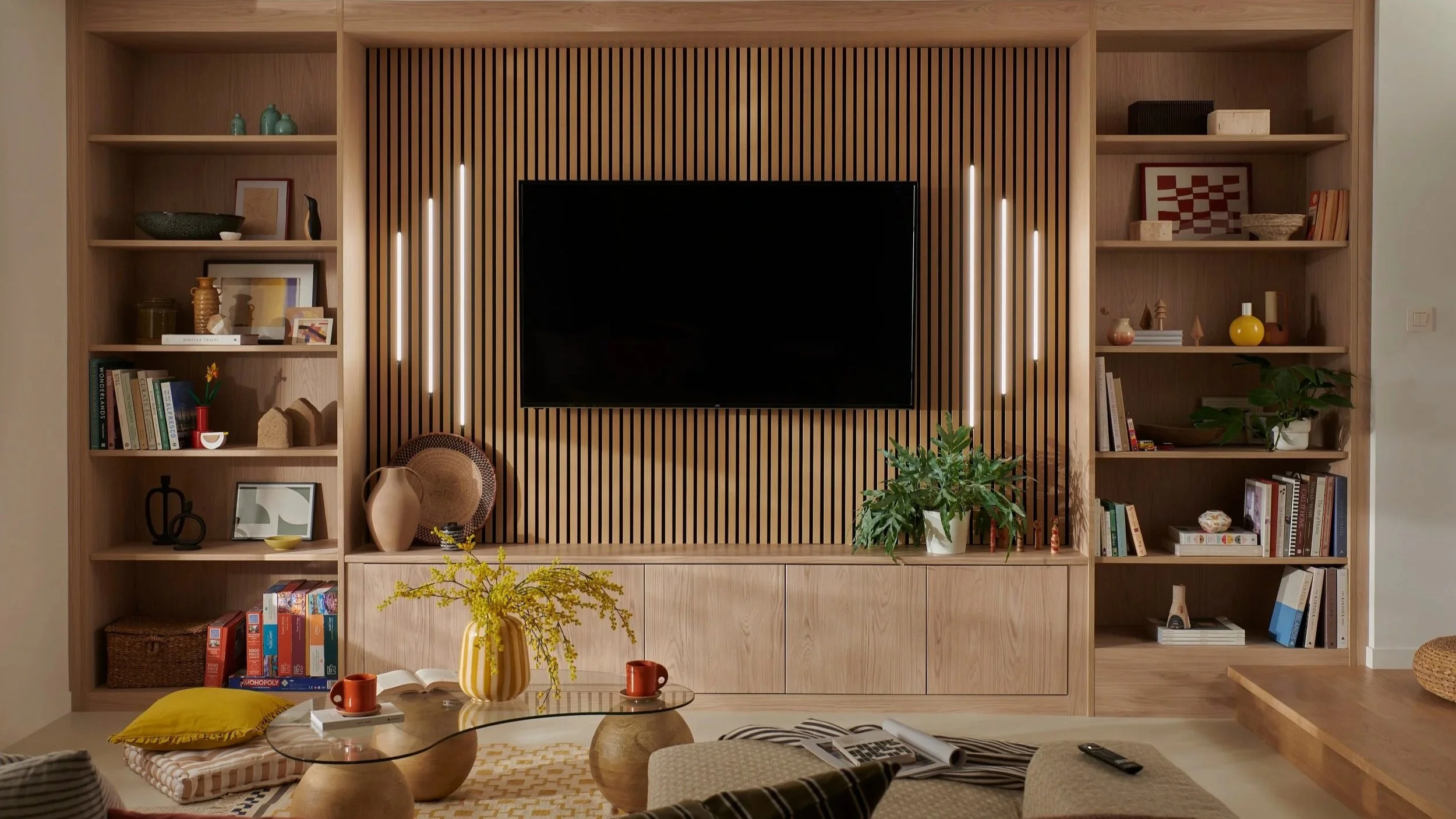
Choosing a TV wall mount is about more than finding a bracket that fits the back of your television. The right mount affects viewing comfort, screen position, access to HDMI ports, cable management, room layout, and even how easily you can adjust the TV after installation.
For most living rooms, the best choice depends on how the room is arranged and how you watch TV. A fixed mount works well for a clean, low-profile setup. A tilting mount can reduce glare and improve the viewing angle when the TV is mounted higher. A full-motion mount is useful when viewers sit in different parts of the room or the screen needs to swing away from the wall.
A professional TV installation also involves more than attaching hardware. The installer needs to identify the wall structure, locate appropriate mounting points, account for the TV's weight and VESA pattern, position the screen correctly, and manage cables safely.
This guide explains the main types of TV wall mounts, their advantages and limitations, and how to choose the best option for your living room.
The Three Main Types of TV Wall Mounts
Most residential TV wall mounting projects use one of three basic mount styles: fixed, tilting, or full-motion. Each serves a different purpose, so there isn't one universal "best" mount for every living room.
Fixed TV Wall Mounts
A fixed TV mount holds the television close to the wall with little or no movement after installation. It creates one of the cleanest and most streamlined appearances.
Fixed mounts are a strong choice when:
The sofa is directly across from the TV.
The television is installed at a comfortable eye level.
Glare is not a major concern.
You rarely need access to the back of the television.
You want the TV to sit close to the wall.
A fixed mount can be particularly attractive in a minimalist living room because the hardware is largely hidden behind the television.
The tradeoff is flexibility. Once the TV is installed, you cannot easily tilt or reposition the screen.
Tilting TV Wall Mounts
A tilting mount allows the TV to angle vertically, usually by tilting the top of the screen forward. This can be useful when the television must be mounted higher than ideal eye level.
For example, a living room with a high mounting location may benefit from a tilt function because the screen can be angled downward toward the seating area.
Tilting mounts are also useful when:
Windows create reflections on the screen.
The TV must be mounted somewhat above eye level.
The seating area is lower than the TV.
You want easier access to cables behind the television.
A tilting mount generally doesn't provide the side-to-side movement offered by a full-motion bracket.
Full-Motion TV Wall Mounts
A full-motion TV mount provides the greatest flexibility. Depending on the design, the television can typically tilt, swivel, and extend away from the wall.
This makes full-motion mounts useful for larger or more complicated living rooms.
Consider one if:
Your seating is spread across different angles.
The TV needs to face more than one seating area.
You want to reduce glare by changing the screen angle.
The TV is installed in a corner.
You need easier access to the back of the television.
The main consideration is that a full-motion mount usually extends farther from the wall than a fixed bracket. That means the installation requires careful planning around furniture, walking paths, wall clearance, and cable slack.
Which TV Mount Is Best for a Typical Living Room?
For a conventional living room where the main seating faces the TV, a fixed or tilting mount is usually the most practical choice.
A fixed mount is ideal when you want a clean appearance and the TV can be positioned at the correct height without needing adjustment.
A tilting mount is often better when the screen sits higher or glare is an issue.
A full-motion mount becomes more useful when the room has multiple viewing positions or the TV needs to change direction.
Mount TypeBest ForMain AdvantageMain LimitationFixedStraight-on viewingClean, low-profile appearanceLittle adjustmentTiltingHigher installations or glareVertical angle adjustmentLimited movementFull-motionMultiple seating positionsSwivel, tilt, and extensionMore wall clearance required
The right decision should be based on the room rather than simply choosing the mount with the most features.
How to Choose the Right TV Wall Mount
Before buying a mount, look beyond the television's screen size. A compatible mount needs to support the TV's specifications and the physical characteristics of the wall.
Check Your TV's VESA Pattern
The VESA pattern refers to the spacing of the mounting holes on the back of the television. It is commonly expressed as horizontal distance × vertical distance in millimeters.
For example, a specification such as 400 × 200 means the mounting holes are spaced 400 millimeters horizontally and 200 millimeters vertically.
Your mount needs to accommodate the TV's VESA pattern.
Check your TV's manual or manufacturer specifications before purchasing a bracket. Some televisions also have mounting information printed or illustrated in their documentation.
Check the TV's Weight
A mount must be rated to support the television's weight.
Do not choose a bracket solely because it says it supports your TV's screen size. Two televisions with the same screen size can have different weights and mounting requirements.
A properly selected mount should have a suitable weight capacity with appropriate compatibility for the television.
Consider the Wall Material
The wall itself plays a major role in a safe TV installation.
Common mounting surfaces include:
Drywall over wood studs
Concrete
Brick
Masonry
Certain specialty wall systems
A TV should not simply be attached to drywall using ordinary wall anchors because the installation needs to account for the weight and mounting forces involved.
For drywall installations, identifying suitable studs and using the correct hardware is essential. Masonry installations require hardware designed for the specific wall material.
Think About Viewing Distance
Your seating position should influence where the television is mounted.
A TV that is technically centered on a wall can still feel uncomfortable if it is too high, too low, or positioned at an awkward angle relative to the main seating.
Before drilling, consider the location of the sofa, chairs, coffee table, windows, doors, and other furniture.
TV Mount Height Matters as Much as the Mount Type
A great TV mount cannot compensate for poor placement. For a complete deep-dive on finding the ideal elevation for your space, read our practical guide for comfortable viewing height.
For many living rooms, the goal is to position the television so the center of the screen is reasonably aligned with the viewer's seated eye level. The exact height depends on the TV size, furniture, room layout, and personal preference.
Avoid automatically placing the TV as high as possible simply because there is empty wall space.
A television mounted too high can make viewing uncomfortable, particularly during long movies or gaming sessions. If the installation location is above a fireplace, the situation becomes more complicated because fireplace height and heat exposure need to be considered.
Measure Before You Drill
A simple planning process can prevent expensive mistakes.
Measure the TV.
Identify the desired screen center.
Measure the seating height.
Locate studs or determine the appropriate masonry mounting points.
Check the mount's dimensions and adjustment range.
Account for soundbar placement.
Plan cable routes and power access.
Mark the installation points.
Recheck the measurements before drilling.
Taking a few extra minutes during planning is much easier than correcting a poorly positioned television afterward.
Consider Your Soundbar Before Installing the TV
A soundbar changes the installation plan.
If you plan to mount a soundbar beneath the TV, leave enough space between the television and soundbar for proper placement and appearance.
Some soundbars can also be wall mounted. In that situation, the TV mount and soundbar bracket need to work together visually and physically.
Think about the soundbar before drilling rather than treating it as an afterthought.
This is especially useful for homeowners who want a clean home entertainment setup with concealed cables.
Cable Management Is Part of the Installation
A professionally mounted TV can still look unfinished if cables hang visibly beneath it.
Cable management can involve organizing HDMI cables, power connections, Ethernet wiring, soundbar connections, streaming-device cables, and other components.
Depending on the wall and installation requirements, options can include:
Concealing cables within an appropriate wall pathway
Using organized surface-level cable management
Routing cables toward nearby equipment
Installing or using suitable recessed connections
Connecting network and entertainment components neatly
Electrical work inside walls should follow applicable safety requirements. In some situations, specialized in-wall-rated cables or professional electrical work may be appropriate.
The goal is not simply to hide every wire. It is to create a setup that remains accessible, organized, and safe.
When a Full-Motion Mount Makes More Sense
A full-motion mount is worth considering when your living room doesn't have one obvious viewing position.
Imagine a large open room where one sofa faces the television while another seating area sits perpendicular to it. A fixed mount forces everyone to watch from essentially the same direction.
A full-motion bracket can allow the screen to swivel toward different seating areas.
Corner installations are another common example. If the television is mounted near a corner, the ability to pull and angle the screen can make the space much more functional.
Full-motion mounts can also be helpful when glare changes throughout the day. Instead of rearranging furniture, you may be able to adjust the screen position.
When a Fixed Mount Is the Better Choice
More movement isn't always better.
If your sofa is directly opposite the TV and you don't need to adjust the screen, a fixed bracket may be the cleaner option.
A fixed mount can provide:
A streamlined appearance
Minimal protrusion from the wall
Simple positioning
A clean look for minimalist interiors
Less visible hardware
It can also be an excellent option for a dedicated media wall where the viewing angle is already established.
The best installation is often the one that gives you exactly the functionality you need without unnecessary features.
Common TV Mounting Mistakes to Avoid
Even a high-quality mount can create problems if the installation is poorly planned.
Mounting Directly Into Drywall Without Proper Support: Drywall alone is generally not an adequate structural mounting point for a typical wall-mounted television. The installer needs to determine the appropriate structural support and hardware.
Choosing a Mount Based Only on Screen Size: Screen size is only one compatibility factor. VESA pattern, weight capacity, mount dimensions, and wall construction also matter.
Installing the TV Too High: A television that looks impressive above a fireplace or high on a feature wall may be uncomfortable for everyday viewing.
Ignoring Cable Access: Think about HDMI ports, power connections, Ethernet, streaming devices, and sound equipment before the TV is permanently installed.
Forgetting About Future Changes: You may add a soundbar, gaming console, streaming device, or network connection later. A little planning can make future upgrades much easier.
Should You Hire a Professional TV Installer?
TV mounting can look straightforward, but getting the details right requires more than attaching a bracket to a wall.
A professional installer can help with wall assessment, mount selection, positioning, alignment, cable management, and integration with other home entertainment equipment.
For a residential installation, the project may also include Smart TV setup, soundbar installation, network wiring, TV relocation, or removal of an older television.
Professional installation can be especially helpful when dealing with large TVs, unusual wall surfaces, masonry, difficult cable routes, or complicated entertainment systems.
For Dallas–Fort Worth homeowners and businesses, TV Mounting Dallas provides TV wall mounting, Smart TV setup, soundbar installation, cable management, TV relocation and reinstallation, TV removal, and network wiring. Learn more about our team, explore our blog, or check out our FAQ page to get answers to common questions. The company has more than 20 years of AV experience and offers same-day and next-day appointments when available.
A Simple Decision Guide
If you're still unsure which bracket to choose, use this quick guide:
Choose a fixed mount if:
Your seating faces the TV directly, you want a low-profile appearance, and you don't need to adjust the screen.
Choose a tilting mount if:
The TV will be somewhat higher than eye level or you need vertical adjustment to manage viewing angles or glare.
Choose a full-motion mount if:
You have multiple seating areas, a corner installation, changing glare, or a need to swivel the screen.
Choose professional installation if:
You're uncertain about wall construction, mounting hardware, TV placement, cable routing, or integrating other entertainment equipment.
Best Practices for a Clean Living Room TV Setup
A good installation should look intentional rather than simply functional.
Before installation, decide where your TV, soundbar, streaming devices, game consoles, and network equipment will live.
Keep the following points in mind:
Center the TV relative to the primary seating area.
Confirm the mount supports your TV.
Locate appropriate structural support.
Plan cable paths before installation.
Leave suitable access for connections.
Consider soundbar placement.
Account for windows and lighting.
Avoid blocking outlets or ventilation.
Check the final alignment from the main seating position.
The result should be comfortable to watch, visually balanced, and practical to maintain.
Frequently Asked Questions
What type of TV wall mount is best for a living room?
For most living rooms, a fixed or tilting TV mount is a practical choice when the main seating faces the television. A full-motion mount is better for rooms with multiple seating areas, corner installations, or changing viewing angles.
Is a fixed or tilting TV mount better?
A fixed mount is best for a clean, low-profile installation with a straightforward viewing angle. A tilting mount is preferable when the TV is mounted higher or needs some vertical adjustment to improve the viewing angle or reduce glare.
Is a full-motion TV mount worth it?
A full-motion mount can be worthwhile if viewers sit in different locations or the TV needs to swivel. If everyone watches from directly in front of the television, its extra movement may not provide much practical benefit.
Can any TV be mounted on any wall?
No. The TV, mount, wall construction, and mounting hardware all need to be compatible. The TV's VESA pattern and weight should be checked, while the wall needs suitable structural support and hardware.
How high should a TV be mounted in a living room?
The ideal height depends on the TV size, seating, and room layout. A common approach is to position the center of the screen near the seated viewer's eye level rather than automatically mounting the TV as high as possible.
Can a TV be mounted above a fireplace?
A TV can sometimes be installed above a fireplace, but the location requires careful consideration of height, heat, viewing angle, and mounting requirements. The fireplace and TV manufacturer's safety recommendations should be reviewed before installation.
Can a soundbar be mounted with a wall-mounted TV?
Yes. A soundbar can often be installed beneath or near a wall-mounted television. The TV height and soundbar position should be planned together so the finished setup looks balanced and doesn't interfere with viewing or connections.
Can cables be hidden when mounting a TV?
Yes, cable management can often conceal or organize HDMI, Ethernet, power, and audio cables. The appropriate method depends on the wall construction and electrical requirements. In-wall cable installation should use suitable materials and follow applicable safety requirements.
Can a mounted TV be removed and installed somewhere else?
Yes. A professionally mounted TV can generally be removed and reinstalled at another suitable location, provided the new wall and mounting hardware are compatible. The new installation should be assessed rather than assuming the previous mounting points can be reused.
Conclusion
The best TV wall mount for a living room depends on how the space is actually used.
A fixed mount is a strong choice for a clean, straightforward viewing setup. A tilting mount adds useful vertical adjustment when the TV sits higher or glare needs to be managed. A full-motion mount provides the flexibility needed for multiple seating positions, corner installations, and changing viewing angles.
The mount itself is only one part of a successful installation. Proper wall support, VESA compatibility, weight capacity, TV height, soundbar placement, cable management, and access to connections all contribute to the finished result.
For a living room in the Dallas–Fort Worth area, taking time to plan these details can turn a basic wall-mounted television into a cleaner, more comfortable home entertainment setup.