
In-Wall vs External Cable Management: What Is the Difference?
Introduction
A wall-mounted TV can look clean and professional, but the installation is not finished when the television is securely attached to the wall. What happens to the HDMI cables, power cords, Ethernet cables, and other connections behind or below the TV can have a major effect on the final appearance.
That is where cable management comes in.
Two common approaches are in-wall cable management and external cable management. Both methods can reduce visible wires, but they work differently and have different advantages, limitations, installation requirements, and costs.
In-wall cable management places compatible cables inside the wall cavity, creating a very clean appearance. External cable management keeps the wiring outside the wall while using raceways, covers, clips, channels, or other methods to organize and conceal it.
The right choice depends on the wall construction, equipment, cable types, access requirements, future upgrades, and the appearance you want. Understanding the difference before a TV installation can help you avoid unnecessary wall work and choose a cable-management method that fits your home or business. If you are planning a complete project, exploring professional TV wall mounting can help ensure your setup is handled correctly from the start.
What Is In-Wall Cable Management?
In-wall cable management involves routing appropriate low-voltage cables through the wall cavity rather than leaving them exposed on the wall surface.
For a typical wall-mounted TV, this may involve running HDMI, Ethernet, coaxial, or other compatible low-voltage cables between an upper wall opening near the TV and a lower opening near an entertainment center, media device, or connection point.
The result is a cleaner installation because much of the wiring is hidden from view.
How In-Wall Cable Management Works
A professional installation generally involves several steps:
The installer determines where the TV, equipment, and cable connections will be located.
The wall is checked for studs, electrical wiring, plumbing, and other potential obstacles, making stud finding an essential safety step.
Appropriate openings and cable-routing points are planned.
Compatible low-voltage cables are routed through the wall.
Proper wall plates, brush plates, or other appropriate termination methods are installed.
Connections are tested before the installation is completed.
The TV and equipment are positioned and the cables are organized.
The exact process depends on the wall construction and the type of installation.
What Cables Can Go Inside a Wall?
Not every cable should simply be placed inside a wall.
Low-voltage communication and audiovisual cables may be suitable for in-wall routing when the cable itself is properly rated for that application. Examples can include certain HDMI, Ethernet, coaxial, and speaker cables.
Electrical power cords require different considerations. A standard TV power cord should not simply be run through a wall cavity as a substitute for proper electrical wiring.
Why Cable Rating Matters
A cable's construction and rating matter because materials used inside walls must be appropriate for that environment and comply with applicable electrical and building requirements.
This is one reason professional installation can be valuable. The goal is not simply to make the wires disappear. The wiring method also needs to be appropriate for the wall and installation.
What Is External Cable Management?
External cable management keeps the cables outside the wall but organizes or conceals them so they are less noticeable.
This approach is often simpler because it does not require routing cables through the wall cavity.
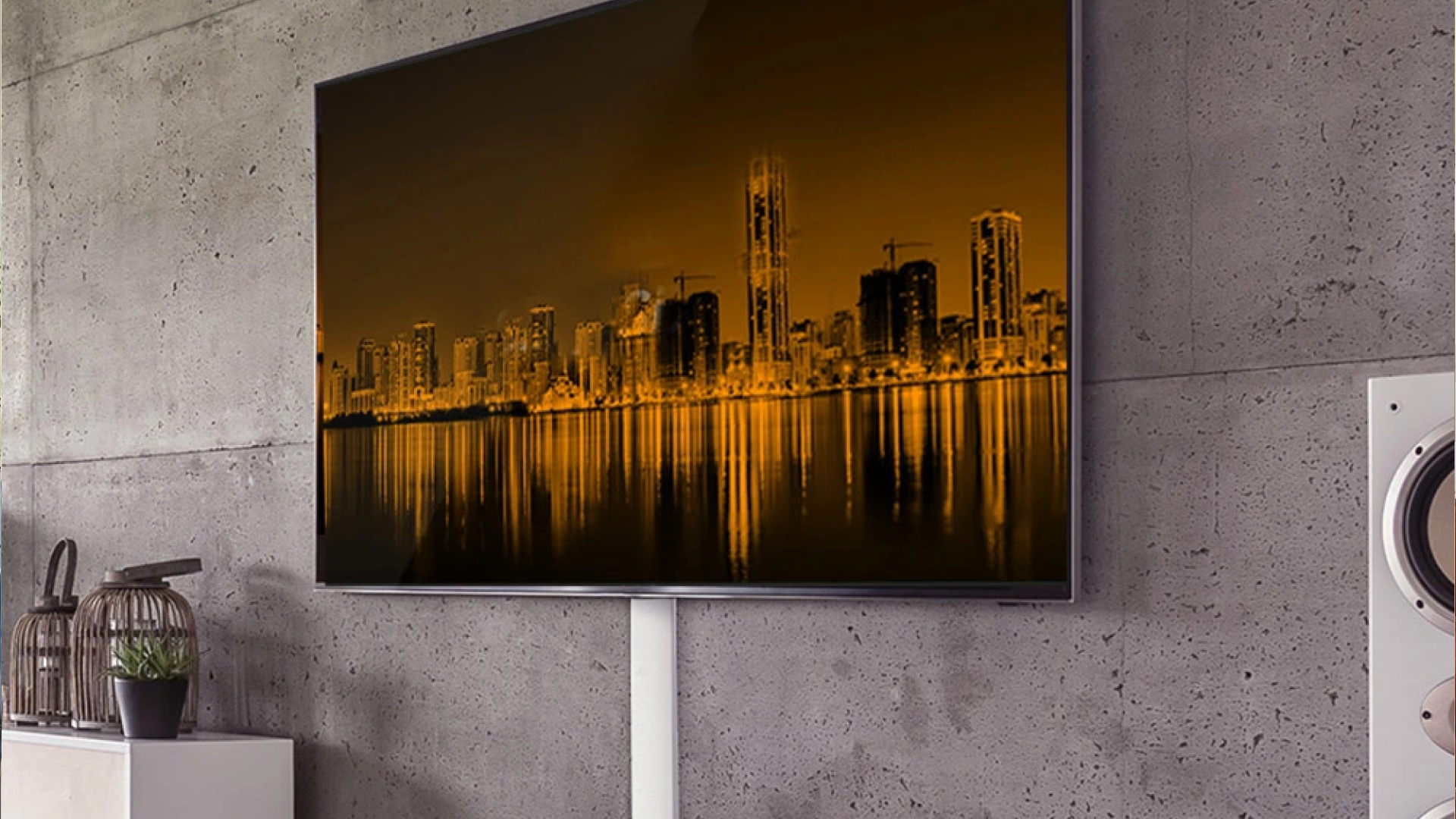
A common example is a cable raceway mounted vertically from the TV toward an outlet or media console. The raceway covers the cables while keeping them accessible.
Common Types of External Cable Management
External cable management can take several forms depending on the installation.
Cable Raceways
Raceways are channels or covers that contain wires and create a cleaner visual line along the wall.
They can be especially useful when cables need to travel vertically or horizontally across an open section of wall.
Cable Covers
Cable covers can conceal several wires together and help prevent loose cables from hanging beneath a wall-mounted television.
Some covers can be painted to better match the wall.
Cable Clips and Organizers
Clips can help secure individual wires or groups of cables along furniture, entertainment units, or other surfaces.
They are useful for organizing shorter cable runs where a full raceway is unnecessary.
Surface-Mounted Channels
Surface channels provide a more structured approach when multiple cables need to travel together.
They can be particularly practical for commercial installations or rooms where future access to the wiring is important.
In-Wall vs External Cable Management: Key Differences
The biggest difference is where the cables are routed.
In-wall cable management places compatible wiring inside the wall cavity. External cable management keeps the wiring outside the wall and uses covers, channels, or organizers to control its appearance.
Here is a practical comparison of how they stack up:
Cable Location: In-wall places wires inside the wall cavity, whereas external keeps them outside the wall surface.
Appearance: In-wall offers a very clean and minimal look, while external provides a clean look when properly installed.
Wall Work: In-wall usually requires cutting into the wall, whereas external requires minimal to no wall modification.
Accessibility: In-wall is more difficult to access after installation, while external makes future changes much easier.
Future Changes: In-wall may require additional work to modify lines, whereas external adjustments are usually straightforward.
Installation Complexity: In-wall involves higher complexity, while external features a lower installation complexity.
Best For: In-wall is best for permanent, clean installations, whereas external is ideal for flexible or less invasive installations.
Neither method is automatically right for every room.
The best option depends on what you are installing and how permanent you want the setup to be.
Which Cable Management Method Looks Better?
From a purely visual perspective, in-wall cable management can provide the most concealed appearance because the cables are largely hidden inside the wall.
That can be especially appealing for a minimalist living room, home theater, conference room, office, or commercial display.
External cable management can also look professional when installed carefully. A properly positioned raceway can be much less noticeable than loose cables hanging from a television.
The difference is often less about the method itself and more about the quality of the installation.
A poorly planned in-wall installation can still create problems, while a well-designed external cable-management system can look neat and intentional.
Why Cable Placement Matters
The location of the wall outlet, media devices, soundbar, gaming console, streaming device, and network connection can affect the final result.
For example, a TV mounted above a console may require several cables to travel only a short distance. In that situation, an external raceway may be sufficient.
A television mounted on a large open wall with equipment positioned several feet below may benefit from a more concealed cable-routing plan.
Is In-Wall Cable Management Better for a Wall-Mounted TV?
"In-wall" does not automatically mean "better."
It can be a strong option when the homeowner wants maximum cable concealment and is comfortable with the additional installation work.
External cable management may be more practical when the wall should remain minimally disturbed or when equipment is likely to change frequently.
Consider these factors before choosing:
Wall construction
TV location
Outlet location
Number of cables
Cable type and rating
Location of streaming devices and consoles
Soundbar placement
Ethernet requirements
Future equipment upgrades
Accessibility needs
Desired appearance
Installation limitations
A professional TV installer can assess these factors before determining how the cables should be routed. For dedicated service options, you can review our cable management Dallas solutions.
When Is External Cable Management the Better Choice?
External cable management can make sense in several situations.
When You Do Not Want to Cut Into the Wall
If you are renting a property or simply do not want additional wall work, an external raceway can provide cable concealment without routing wiring through the wall.
When Equipment Changes Frequently
Gaming systems, streaming devices, receivers, computers, and other equipment may change over time.
An accessible cable-management system makes it easier to add, remove, or replace cables.
When the Wall Is Difficult to Access
Some walls present installation challenges because of their construction or the location of studs, plumbing, electrical wiring, insulation, or other obstacles.
An external solution can sometimes avoid unnecessary complications.
When You Need a Faster Installation
Because external cable management generally requires less wall work, it can be a practical option when the installation needs to be completed quickly.
The exact installation time still depends on the TV, wall, number of cables, mounting location, and other factors.
When Does In-Wall Cable Management Make Sense?
In-wall routing may be appropriate when appearance and cable concealment are major priorities.
For example, consider a large living room where the TV is mounted several feet above a media console. Visible cables running between the television and console can distract from the room's design.
Routing compatible cables through the wall can create a cleaner visual connection between the TV and equipment.
It can also make sense for dedicated home theaters where multiple audiovisual components need to connect without creating visible cable clutter.
New Construction and Remodeling
In-wall cable routing can be particularly convenient during construction or remodeling because the wall structure may already be accessible.
Planning cable pathways before drywall is installed can simplify future audiovisual installations.
For an existing finished wall, the process requires more planning because the installer has to work around the existing structure.
Can Power Cords Be Run Inside the Wall?
This is one of the most important distinctions in TV cable management.
A standard appliance power cord should not simply be pushed through a hole in the wall and hidden inside the wall cavity.
Electrical power wiring has different requirements from low-voltage audiovisual wiring.
If the TV's electrical outlet is poorly positioned, the appropriate solution may involve having an electrical professional install or relocate an outlet rather than hiding the existing power cord inside the wall.
Low-Voltage Cables vs Electrical Wiring
A useful way to think about the difference is:
Low-voltage audiovisual cables: May be routed inside a wall when the cable and installation method are appropriate.
Electrical power wiring: Must follow applicable electrical requirements and should be installed or modified using the appropriate electrical methods.
When there is uncertainty about electrical work, consult a qualified electrician.
How Should You Plan Cable Management Before Mounting a TV?
Cable management should be considered before the TV bracket is installed.
Trying to solve cable problems after the television is already mounted can create unnecessary work.
Step 1: Identify Every Device
Make a list of everything that needs to connect to the TV.
This might include:
Streaming devices
Gaming consoles
Blu-ray players
Soundbars
AV receivers
Ethernet connections
Cable or satellite equipment
External speakers
Computers
Step 2: Determine Where Each Device Will Sit
The cable route depends heavily on equipment placement.
If a gaming console is inside a cabinet directly below the TV, the cable path will be different from an installation where the equipment sits several feet away.
Step 3: Plan for Future Cables
Do not plan only for today's equipment.
A TV installation may eventually include a new gaming console, upgraded sound system, Ethernet connection, or different streaming device.
Leaving reasonable flexibility in the cable-management plan can make future changes easier.
Step 4: Test Everything Before Finalizing
Connections should be checked before the installation is considered complete.
Testing helps identify problems with HDMI connections, network connectivity, audio equipment, or other devices while the cables are still accessible.
Common Mistakes With TV Cable Management
Cable management problems often happen because the wiring is treated as an afterthought.
Running Too Few Cables: Installing only the cables needed today can create limitations later. A well-planned installation considers realistic future equipment needs without unnecessarily filling the wall with unused wiring.
Using the Wrong Cable: Not every cable is suitable for every installation or environment. Cable specifications should match the equipment and routing requirements.
Hiding Electrical Cords Inside the Wall: This is not the same thing as professional low-voltage cable routing and can create an unsafe installation.
Forgetting the Soundbar: A TV may look clean while a soundbar cable hangs visibly below it. Soundbar wiring, such as the options covered under soundbar installation Dallas, should be included in the cable-management plan before installation.
Ignoring Network Connections: Smart TVs and streaming equipment increasingly depend on reliable connectivity. If a wired Ethernet connection is desired, implementing proper network wiring can ensure stable performance.
Best Practices for a Clean TV Installation
A professional-looking TV installation starts with planning rather than simply hiding wires after the fact.
Keep the following principles in mind:
Plan cable routes before mounting the television.
Use cables appropriate for their intended installation.
Keep audiovisual cables organized by destination.
Avoid unnecessary cable slack.
Leave enough access for future maintenance.
Consider soundbar and speaker connections.
Plan Ethernet connections where useful.
Keep electrical work separate from low-voltage cable routing.
Test connections before finishing the installation.
Choose an external raceway when wall access is limited or flexibility matters.
Cable management should support the entire entertainment setup, not just the television.
How Cable Management Affects Home Entertainment
A TV wall is often the visual center of a living room or entertainment space.
Loose cables can make an otherwise carefully installed system look unfinished. Organized wiring, by contrast, makes it easier to identify connections and maintain the equipment.
The same principle applies to commercial environments.
Conference rooms, waiting areas, offices, restaurants, and retail spaces may require displays with multiple connected devices. In these settings, cable organization can also make maintenance easier for staff and technicians.
Does Professional TV Mounting Include Cable Management?
Cable management can be part of a professional TV installation, but the exact work depends on the installation requirements and service scope.
A basic TV mounting job may involve organizing accessible cables, while a more comprehensive installation may include cable concealment, soundbar installation, network wiring, or other AV setup.
For more complex installations, it is useful to discuss cable routing before the appointment so the installer can determine what materials and preparation are needed.
TV Mounting Dallas provides TV wall mounting, cable management, Smart TV setup, soundbar installation, relocation and reinstallation, TV removal, and network wiring throughout the Dallas–Fort Worth area. You can learn more about us or check our complete TV setup installation Dallas service details.
Conclusion
In-wall and external cable management solve the same basic problem—keeping TV wiring organized and reducing visible cable clutter—but they do it in different ways.
In-wall cable management hides compatible low-voltage cables inside the wall and can provide a highly concealed appearance. It generally requires more planning and wall work, and future changes may be less convenient.
External cable management keeps wiring accessible while using raceways, covers, channels, or organizers to create a cleaner appearance. It is often less invasive and can make future equipment changes easier.
The right choice depends on your wall, equipment, cable requirements, desired appearance, and plans for the entertainment system. Good cable management is not simply about making wires disappear. It is about creating a safe, organized, serviceable connection between the TV and everything that supports it. For additional questions, you can visit our FAQ page or browse more helpful articles on our blog.
Frequently Asked Questions
1. What is the difference between in-wall and external cable management?
In-wall cable management routes compatible cables through the wall cavity, while external cable management keeps cables outside the wall and conceals them with raceways, covers, clips, or channels. The best method depends on the wall and installation requirements.
2. Is in-wall cable management safer than external cable management?
Safety depends on how the installation is performed. Properly rated cables and appropriate installation methods are essential for in-wall routing. Electrical power cords should not simply be hidden inside a wall, and electrical work should follow applicable requirements.
3. Can HDMI cables be run through a wall?
Some HDMI cables are designed and rated for in-wall installation. The cable should be appropriate for the application, and the installation should account for the cable's specifications, connectors, routing path, and future accessibility.
4. Can TV power cords be hidden inside a wall?
A standard TV power cord should not simply be routed through a wall cavity. If the electrical outlet is inconveniently located, an appropriate electrical solution may be needed instead. A qualified electrician can address outlet relocation or electrical wiring requirements.
5. Is external cable management good for a wall-mounted TV?
Yes. External cable management can create a clean appearance without requiring extensive wall work. A properly selected and installed raceway can conceal HDMI, network, and other compatible cables while keeping them easier to access for future changes.
6. Can cable management hide soundbar wires?
Yes. Soundbar wiring can be incorporated into the overall TV cable-management plan. Depending on the wall and equipment layout, the cable can be organized externally or routed through the wall when the cable and installation method are appropriate.
7. Should cable management be installed before mounting a TV?
Planning should happen before the TV is mounted. Determining cable routes, outlet locations, device positions, and soundbar connections first can prevent unnecessary work and help create a cleaner final installation.
8. Can Ethernet cables be run through a wall for a TV?
Yes, appropriately rated Ethernet cable can be routed through a wall when the installation is suitable. A wired network connection can be useful for televisions and entertainment equipment that support Ethernet, particularly when the equipment is positioned near a network connection.
9. Is in-wall cable management worth it for a home theater?
It can be useful when a clean appearance and concealed wiring are priorities. The decision should also consider the wall construction, number of devices, cable requirements, accessibility, future upgrades, and whether the installation is being performed during construction or remodeling.
10. What should I consider before choosing a TV cable-management method?
Consider the wall type, TV location, outlet position, number and type of cables, soundbar and equipment locations, future upgrades, desired appearance, accessibility, and whether you want to avoid cutting into the wall. A professional assessment can help determine the appropriate approach.