
What Is the Best Way to Hide Cables Behind a Wall-Mounted TV?
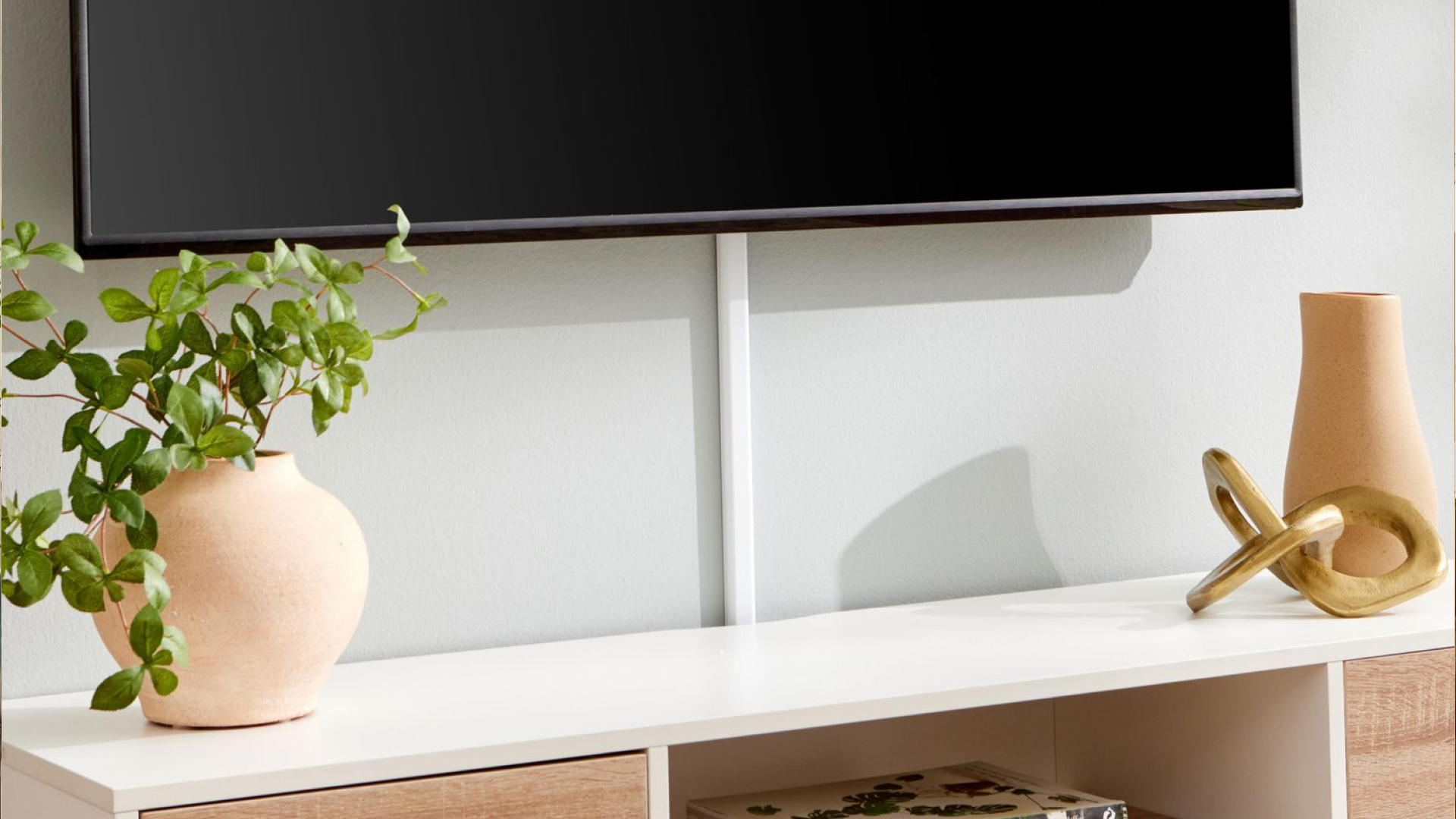
A wall-mounted TV can give a living room, bedroom, conference room, or media space a clean and organized appearance. But that look can quickly disappear when power cords, HDMI cables, Ethernet cables, soundbar wires, and other connections hang below the screen.
The best way to hide cables behind a wall-mounted TV depends on the wall construction, the type of equipment being connected, and whether you need access to the cables later. Some installations can use in-wall cable routing, while others are better suited to surface-mounted raceways or carefully planned cable management channels.
For a professional-looking installation, cable concealment should be considered before the TV bracket goes on the wall. Proper planning helps prevent visible wires, unnecessary wall openings, difficult cable changes, and unsafe electrical work.
This guide explains the main ways to hide TV cables, what works on different wall types, which mistakes to avoid, and how to choose the right approach for your home or business.
What Is the Best Way to Hide Cables Behind a Wall-Mounted TV?
For most permanent installations, properly rated in-wall cable routing is one of the cleanest ways to conceal low-voltage TV cables. It allows HDMI, Ethernet, and other compatible signal cables to travel inside the wall instead of remaining visible.
However, not every cable belongs inside a wall. A TV's electrical power cord should not simply be pushed into the wall or routed through an ordinary opening. Permanent electrical wiring should be handled using appropriate electrical components and according to applicable local codes.
A practical cable concealment plan may include:
In-wall routing for compatible low-voltage cables
Properly installed electrical power access behind the TV
Cable management around the TV and entertainment equipment
HDMI and Ethernet connections planned around equipment locations
A surface raceway when opening the wall is not practical
Separate routing for electrical and low-voltage wiring where required
The right method depends on the installation rather than simply choosing the least visible option. If you are comparing service options, reviewing what is included in professional TV wall mounting can help clarify how concealment fits into the process.
Why Cable Management Matters for a Wall-Mounted TV
Cable management is more than an aesthetic detail. Poorly routed cables can make a new TV installation look unfinished and can make future troubleshooting or equipment upgrades unnecessarily difficult.
A clean installation considers the entire entertainment system rather than only the television.
A Wall-Mounted TV Has More Than One Cable
Depending on the setup, a mounted TV may have connections for:
Power
HDMI devices
Streaming devices
Game consoles
Blu-ray players
AV receivers
Antennas
Network equipment
USB accessories
A homeowner may initially have only two or three cables, but the number can increase as equipment is added.
Cable Visibility Can Affect the Finished Appearance
A TV mounted perfectly level can still look messy if several cables hang underneath it.
Before getting started, it helps to check out practical advice like what should you check before mounting a TV on a wall to ensure your space is fully prepared. Visible wires can distract from the screen and make the installation appear temporary. Concealing or organizing them helps create a cleaner entertainment area without requiring decorative furniture to hide the wiring.
The Main Ways to Hide TV Cables
There is no single cable concealment method that works for every wall. The most common options are in-wall routing, surface raceways, and organized external cable management.
In-Wall Cable Routing
In-wall routing places compatible low-voltage cables inside the wall cavity.
This approach can produce the cleanest appearance because the cables are hidden from view between the TV and the equipment below.
A typical setup may use appropriate wall plates or cable pass-through components at the upper and lower locations. The cable then travels through the wall between those points.
What Can Usually Be Routed Inside the Wall?
Compatible low-voltage cables may include:
HDMI
Ethernet
Coaxial cable
Certain audio cables
Other appropriately rated communication cables
The specific cable and installation method matter. A cable designed only for external use should not automatically be assumed to be suitable for concealed installation.
Surface-Mounted Cable Raceways
A raceway is a channel that covers cables mounted on the surface of a wall.
It can be useful when:
You do not want to open the wall.
The wall construction makes in-wall routing difficult.
You are renting a property.
The installation is temporary.
Existing wiring makes concealed routing impractical.
Raceways can be painted or selected to blend with the wall, making them considerably less noticeable than loose cables.
External Cable Management
Sometimes the simplest approach is to organize cables outside the wall.
Cable sleeves, clips, ties, and other management products can bundle multiple wires together and route them neatly toward furniture or equipment.
This option does not provide the same completely hidden appearance as in-wall routing, but it can work well when accessibility is more important than total concealment.
How to Hide TV Cables Inside a Wall
If in-wall cable concealment is appropriate, planning should happen before installation.
Step 1: Identify Every Connection
Start by listing all devices that will connect to the television.
For example, a living room setup might include:
TV
Soundbar
Streaming device
Game console
Network connection
This prevents the installer from planning a cable path for today's equipment while overlooking connections that will be needed later.
Step 2: Decide Where the Equipment Will Sit
The location of the TV is only part of the equation.
Consider where the soundbar, media console, game console, receiver, streaming equipment, and network connection will be located.
The lower cable outlet or connection point should make sense relative to those components.
Step 3: Plan the Cable Path
The cable route should be planned before drilling or cutting.
Walls may contain:
Electrical wiring
Plumbing
Structural framing
Insulation
Other existing cables
Blindly drilling through a wall can create unnecessary damage or create a safety hazard. Reviewing resources on why stud finding matter when installing a wall-mounted TV can help you navigate structural components safely.
Step 4: Use Appropriate Cable-Rated Components
Not every wall opening or cable pass-through is appropriate for concealed installation.
Use components and cables designed for the intended application. Low-voltage cable installation and electrical power installation also have different requirements.
Step 5: Test Connections Before Finishing
Connect and test the equipment before completely finishing the installation.
Testing helps identify problems with:
HDMI signal
Network connectivity
Audio
Cable length
Device placement
TV input selection
Fixing a connection before everything is secured is much easier than troubleshooting it after the installation is complete.
How Do You Hide HDMI Cables Behind a Mounted TV?
HDMI cables are commonly used to connect TVs with streaming devices, gaming consoles, receivers, sound equipment, and other video sources.
If the equipment is located below the TV, the HDMI cable can potentially be routed through the wall using cable and components rated for concealed installation.
Cable length deserves attention as well. A cable that is too short may place unnecessary strain on the connections, while excessive cable length can create unnecessary slack.
For a new installation, determine the approximate route first and select an appropriate cable rather than buying a cable and trying to make the wall route fit afterward.
What About HDMI Cables for 4K and Newer Devices?
The cable should be appropriate for the capabilities of the connected equipment.
Features such as high-resolution video, higher refresh rates, gaming requirements, and advanced audio formats can affect cable selection. The TV, source device, and cable all need to support the desired connection.
This is one reason it is useful to plan the entire entertainment system before hiding the cables.
How to Hide a TV Power Cord
Power requires special attention because a standard TV power cord should not simply be buried inside a wall.
Running an appliance cord through a wall as a shortcut is different from installing an appropriate electrical connection.
A cleaner installation may involve an electrical outlet installed in a suitable location behind the TV and another properly installed connection point near the equipment below, depending on the home's wiring and applicable electrical requirements.
For permanent electrical changes, a qualified electrician should handle the work when required.
Why You Should Not Just Put the Power Cord Inside the Wall
A common misconception is that if the cord cannot be seen, it is safe to place inside the wall.
That is not a sound approach.
Electrical wiring has specific installation requirements involving cable type, protection, connections, and accessibility. Hiding an ordinary appliance cord inside a wall can create problems rather than solving them.
Hiding Cables on Different Types of Walls
The best cable management method can change depending on the wall material.
Drywall
Drywall often provides the most flexibility for concealed low-voltage cable routing, although framing and existing utilities still need to be considered.
A professional installer can assess the wall and determine an appropriate cable path before creating access points. If you are working with this material, insights on can a TV be mounted on drywall without damaging the wall can be very helpful.
Brick or Concrete
Brick and concrete walls can require a different approach.
Creating concealed pathways may involve substantially more work than routing through a standard framed drywall wall. In some cases, a surface raceway or carefully designed external cable management system may be more practical. You can also look into guidance on can a TV be mounted on brick stone or tile before starting your project.
Over a Fireplace
TV mounting above a fireplace requires additional planning.
The wall temperature, mounting structure, cable route, outlet location, and equipment placement should all be considered. A TV should not be installed simply because an empty wall area is available above the fireplace.
The fireplace itself can also affect where cables can safely travel.
Common TV Cable Management Mistakes
A clean installation is easier when common problems are avoided from the beginning.
Running Too Many Cables Through One Small Opening: Forcing several cables through a tight opening can make installation and future replacement difficult. The cable path should provide enough room for the intended connections without creating unnecessary strain.
Forgetting Future Equipment: A homeowner may install a TV today and add a soundbar, gaming console, receiver, or Ethernet connection six months later. Thinking about likely future equipment during the original installation can reduce the need to reopen the wall.
Hiding Cables Without Labeling Them: When several similar cables disappear behind a TV, identifying them later can become frustrating. Simple labeling at accessible connection points can make future troubleshooting much easier.
Ignoring Cable Accessibility: Completely hidden cables may look great, but some systems still need access for upgrades or repairs. A good installation balances appearance with practical access.
Treating Electrical Wiring Like Low-Voltage Cabling: This is one of the most significant mistakes to avoid. HDMI and Ethernet installation is not the same as modifying a home's electrical wiring. Electrical work should follow applicable requirements and be performed by a qualified professional when necessary.
In-Wall Cable Routing vs. Cable Raceway
Both methods can create a cleaner TV installation, but they serve different situations.
In-Wall Routing
Best suited for:
Permanent installations
New TV mounting projects
Home theaters
Clean minimalist designs
Installations where concealed cabling is a priority
Advantages include:
Very little visible cabling
Clean finished appearance
Better integration with the wall-mounted TV
Useful for planned entertainment systems
Potential limitations include:
Wall access may be required
Existing utilities can complicate routing
Some walls are difficult to modify
Electrical work may require a qualified professional
Surface Raceways
Best suited for:
Rentals
Quick installations
Walls where opening is undesirable
Situations where cable accessibility matters
Advantages include:
Less invasive installation
Easier cable access
Generally simpler to modify
Useful where concealed routing is impractical
Potential limitations include:
The raceway remains visible
It may require careful placement to look clean
It does not provide the same concealed appearance as an in-wall route
How to Get a Clean, Professional TV Installation
Cable concealment works best when it is part of the mounting plan rather than an afterthought.
Before mounting the TV, consider:
TV height
Viewing position
Wall construction
Mount type
Power location
HDMI connections
Soundbar placement
Network requirements
Device locations
Future equipment
Cable access
The result should be more than a TV attached to a wall. The mounting hardware, screen alignment, equipment positioning, cable routing, and surrounding components should work together.
Keep the Cable Path Short and Logical
A shorter, well-planned route can make cable management easier.
Avoid unnecessary loops and excessive slack behind the TV. At the same time, leave enough cable length to disconnect equipment without putting stress on connectors.
Plan for the Soundbar
If a soundbar is mounted below the TV, its power and audio connections should be included in the original cable plan.
This is especially useful for installations where both the television and soundbar are wall mounted.
Think About Network Connectivity
Smart TVs and streaming equipment can use Wi-Fi, but some installations benefit from wired Ethernet.
If an Ethernet connection is desired, planning the network cable route while installing the TV can produce a cleaner result than adding it later.
When Should You Hire a Professional?
DIY cable management can be reasonable for simple external organization. More complex installations deserve careful planning.
Professional help can be particularly useful when:
The TV is being mounted on a difficult wall.
Multiple cables need to be concealed.
A soundbar is also being installed.
Network wiring is required.
The TV is mounted above a fireplace.
Electrical outlets need to be added or relocated.
The TV is heavy or unusually large.
The installation is for a commercial environment.
You want the final setup tested and organized.
A professional TV mounting service can evaluate the wall, mounting position, equipment layout, and cable requirements before installation. You can learn more about comprehensive services by visiting TV wall mounting in Dallas or exploring TV setup and installation in Dallas.
What a Complete TV Mounting and Cable Management Plan Should Include
A good installation considers the entire system from the beginning.
A typical plan may include:
Wall assessment: Determine the wall construction and suitable mounting location.
TV placement: Establish the appropriate viewing position and height.
Mount selection: Choose hardware appropriate for the TV and wall.
Cable planning: Identify power, HDMI, Ethernet, audio, and other connections.
Concealment method: Determine whether in-wall routing, a raceway, or external management makes sense.
Equipment positioning: Plan locations for soundbars, consoles, receivers, and streaming devices.
Installation: Secure the mount and organize the connections.
Testing: Confirm video, audio, network, and connected equipment work correctly.
Final cleanup: Secure loose cables and leave the entertainment area organized.
This approach helps avoid treating cable concealment as something that has to be fixed after the TV is already mounted.
Conclusion
The best way to hide cables behind a wall-mounted TV depends on the wall, equipment, cable types, and installation requirements. For many permanent setups, appropriately rated in-wall routing for low-voltage cables provides a clean appearance. Surface raceways and external cable management can be practical alternatives when opening the wall is not desirable.
The biggest mistake is treating every cable the same. HDMI, Ethernet, audio, coaxial, and electrical power connections have different installation considerations.
Plan the cable route before mounting the TV, account for equipment you may add later, and avoid placing an ordinary power cord inside the wall. When electrical work, complicated wall construction, or multiple entertainment components are involved, professional installation can help ensure the finished system is both organized and properly installed.
A well-planned TV installation should look clean from the front while remaining practical behind the screen. Cable concealment, TV alignment, soundbar placement, Smart TV setup, and network wiring all work together to create that result.
Frequently Asked Questions
How much does professional TV mounting cost in Dallas, TX?
Professional TV mounting costs vary based on TV size, wall construction, mount type, installation complexity, cable management, and additional equipment. A straightforward installation typically requires less work than a setup involving in-wall cabling, soundbar mounting, or network wiring.
Can TVs of different sizes and brands be mounted?
Yes. Many televisions can be mounted when the correct mounting hardware is selected for the TV's dimensions, weight, mounting pattern, and wall structure. The specific mount should be compatible with both the television and the installation surface.
Can a TV be mounted over a fireplace or on a brick wall?
A TV can sometimes be mounted over a fireplace or on brick, but the installation requires additional planning. The wall structure, heat exposure, mounting hardware, cable routing, and location of electrical connections should all be evaluated before installation.
Does TV mounting include cable management and wire concealment?
Cable management can be included as part of a TV installation, but the exact method depends on the wall and cable types. Options may include organizing visible wires, using a raceway, or routing appropriate low-voltage cables through the wall.
Can a soundbar be installed along with a wall-mounted TV?
Yes. A soundbar can be mounted or positioned below a wall-mounted television. Its power, audio connection, mounting position, and relationship to the TV should be considered during the original installation.
Can a Smart TV be set up after it is mounted?
Yes. Smart TV setup can include connecting the television to a network, configuring supported apps, selecting inputs, and checking connected devices. Network requirements should ideally be considered before the TV and cables are installed.
Can a TV be safely removed and reinstalled somewhere else?
Yes, a TV can often be removed and reinstalled at another location. The process may require evaluating the new wall, mounting hardware, cable connections, TV position, and condition of the existing equipment before reinstalling it.
What areas around Dallas–Fort Worth can professional TV mounting services cover?
TV mounting companies serving the Dallas–Fort Worth area may cover Dallas and surrounding DFW communities. Service areas vary by provider, so customers should confirm whether their specific city or neighborhood is included before scheduling an appointment.
Can TV installation include network wiring?
Yes. Network wiring can be incorporated into an entertainment installation when a wired connection is preferred for a TV or another connected device. The cable route and equipment location should be planned before installation so the finished setup remains organized.
Is it safe to put a TV power cord inside the wall?
An ordinary appliance power cord should not simply be placed inside a wall. Concealed electrical wiring has specific installation requirements. Appropriate electrical components and wiring methods should be used, with electrical work handled by a qualified professional when required.