
Should Cable Routing Be Planned Before Mounting a TV?
Introduction
Mounting a television can look like a simple matter of attaching a bracket to the wall and lifting the TV into place. In a professional installation, there is another part of the job that deserves attention before the TV ever goes on the wall: cable routing.
Where HDMI cables, power cords, Ethernet cables, speaker wires, and other connections will run can affect the mounting height, bracket position, outlet placement, cable visibility, and even how easy the system will be to service later.
Planning cable routing before mounting a TV helps create a cleaner installation and reduces the chance of discovering a cable problem after the television is already secured. It also makes it easier to determine which cables are needed, where they should enter or exit the wall, and how connected devices such as streaming boxes, game consoles, soundbars, and receivers will be positioned.
For homeowners and businesses in the Dallas–Fort Worth area, professional TV installation should consider the entire entertainment setup rather than treating the television as an isolated piece of equipment. A well-planned installation combines secure TV mounting, proper cable management, accurate alignment, and practical access to connected devices.
Why Cable Routing Should Be Planned Before TV Mounting
Cable routing is best planned before the TV is mounted because the television can hide access points once it is installed.
A mounted TV may cover the wall area where cables need to pass, making changes more difficult. If the installer knows the cable path in advance, the mounting position can be selected with those connections in mind.
Planning ahead also prevents a common problem: finishing the TV installation only to discover that one cable is too short, an outlet is in an inconvenient location, or a soundbar connection cannot reach the television.
Cable Routing Affects the Entire Installation
The cable plan can influence several parts of a TV installation, including:
TV mounting height
Horizontal and vertical positioning
Wall bracket location
Power outlet access
HDMI cable length
Ethernet connections
Soundbar placement
Gaming console location
Streaming device placement
Cable concealment
Future equipment upgrades
The goal is not simply to make cables invisible. The goal is to create a connection path that is safe, accessible, organized, and appropriate for the equipment being installed.
A Clean Installation Starts Behind the TV
A television can look perfectly positioned from the front while still having a messy installation behind it.
Cables may hang below the screen, bunch together behind the bracket, pull against ports, or extend farther than necessary. A thoughtful cable-routing plan keeps connections organized and reduces unnecessary slack.
Professional TV mounting often involves looking at the wall, the TV, the available connections, and the surrounding equipment as one system.
What Cables Should Be Considered Before Mounting a TV?
The right cable plan depends on how the TV will be used. A basic setup may need only power and one or two HDMI connections, while a home theater system can require several cables.
HDMI Cables
HDMI is commonly used to connect televisions with devices such as:
Streaming devices
Gaming consoles
Blu-ray players
AV receivers
Cable or satellite boxes
Soundbars
The number and location of HDMI-connected devices should be considered before mounting the television.
If equipment is located inside a media console below the TV, the cables may need to travel downward through the wall or through an organized external cable-management system.
Ethernet Cables
A Smart TV can connect to the internet through Wi-Fi, but some installations may use a wired Ethernet connection.
If Ethernet is part of the setup, its route should be determined before the television is installed. Network wiring can also be useful for connected entertainment equipment such as streaming devices, gaming systems, or other network-enabled components.
Power Cables
Power deserves special attention because the television needs to be positioned close enough to an appropriate power source without creating an unsafe or unattractive setup.
A professional installation should account for the location of the electrical outlet and avoid creating unnecessary tension or awkward cable paths.
Soundbar and Audio Cables
If a soundbar will be installed with the TV, its connections should be considered at the same time as the television mounting plan.
Depending on the equipment, the audio connection may use HDMI, optical audio, or another compatible connection. Planning this before installation helps prevent visible wires running between the TV and soundbar.
Other Cables
Some setups may also involve:
Coaxial cables
USB connections
Speaker wiring
IR or control cables
Receiver connections
Network cables
Antenna connections
Not every TV needs every cable. The best approach is to identify the equipment that will actually be connected before deciding how the cables should be routed.
What Happens If Cable Routing Is Not Planned First?
Installing the TV first and thinking about cables afterward can create unnecessary complications.
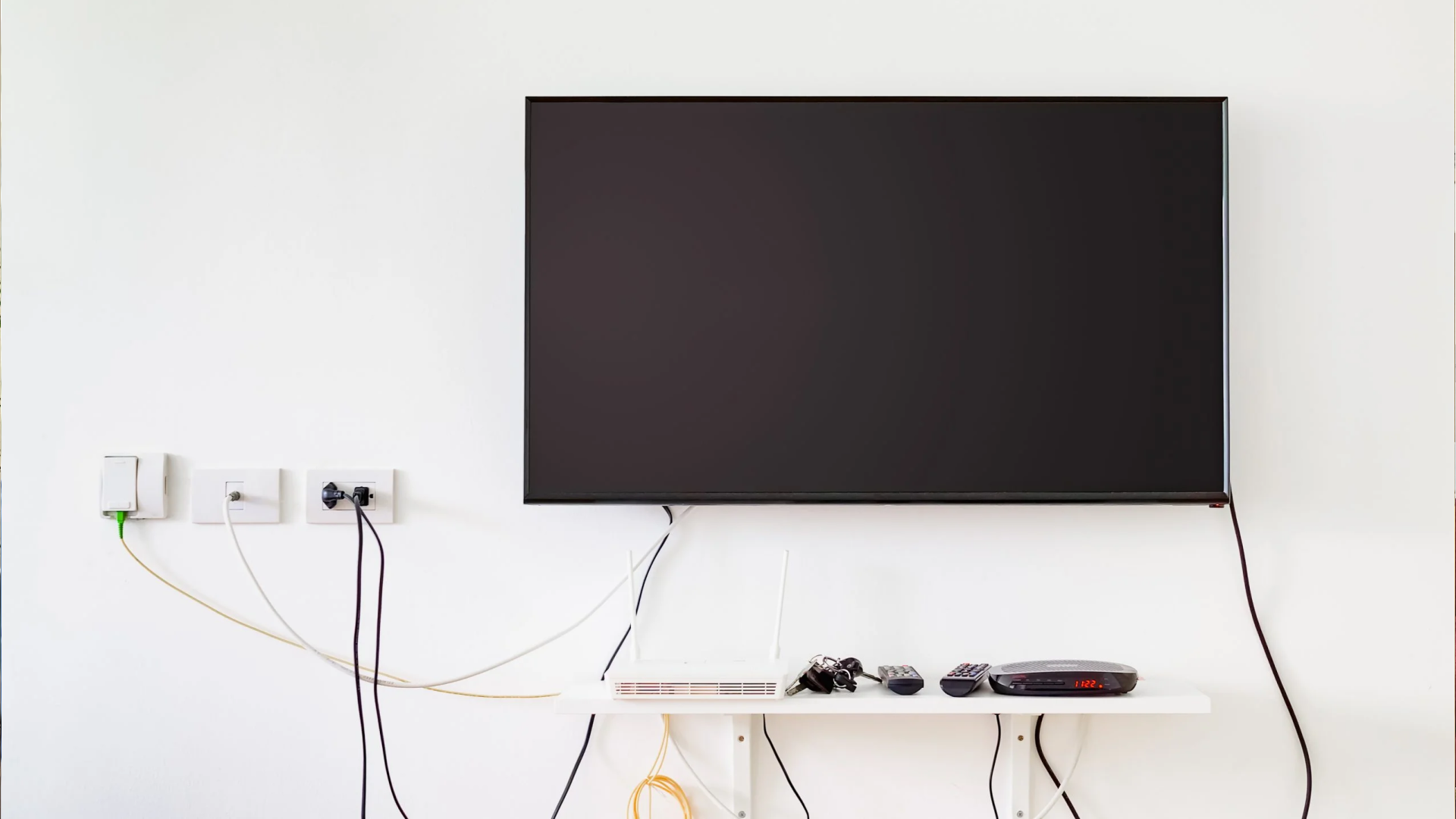
One of the most obvious problems is visible wiring. If the cable path was never considered, cables may have to run outside the wall, along the wall surface, or around furniture.
Another problem is insufficient cable length. A cable may technically reach a device but be stretched tightly behind the television. That is not an ideal installation because unnecessary tension can make future servicing more difficult.
Common Problems Caused by Poor Cable Planning
A TV installation can run into issues such as:
Cables hanging below the TV
HDMI cables that are too short
Difficult access to connections
Too much cable slack behind the TV
A soundbar cable that does not reach
Network wiring positioned incorrectly
Devices placed farther away than expected
Difficult future upgrades
An installation that looks unfinished
Planning the cable route first allows these issues to be addressed before the TV is secured.
How Should TV Cable Routing Be Planned?
A good cable-routing plan begins with the equipment rather than the cable itself.
First, determine what devices will be connected to the TV. Then identify where those devices will sit. From there, the installer can determine the most practical route for each connection.
Step 1: Identify Every Connected Device
Make a list of the equipment that will connect to the television.
For example, a living room setup might include:
Smart TV
Soundbar
Streaming device
Gaming console
Cable box
Ethernet connection
A simple setup may require only two or three connections. Knowing this before mounting prevents surprises later.
Step 2: Decide Where the Equipment Will Be Located
The cable route depends heavily on where the connected devices are positioned.
If a game console sits directly beside the TV, a short cable route may be sufficient. If an AV receiver is inside a cabinet several feet away, the routing plan will be different.
This is also why furniture placement should be considered before finalizing the TV position.
Step 3: Determine the Best Cable Path
The cable path should be as direct and practical as possible while maintaining appropriate safety and accessibility.
For concealed wiring, the installer needs to consider where cables enter and exit the wall. For external cable management, the route should follow a clean path that minimizes visible wiring.
Step 4: Check Cable Length
Cable length should be confirmed before the TV is mounted.
The correct length is not necessarily the shortest possible cable. There should be enough slack to connect equipment without placing stress on the ports or making future maintenance difficult.
Step 5: Mount the TV
Once the cable plan, equipment locations, mounting height, and bracket position have been established, the television can be mounted.
At this stage, cable routing becomes part of the installation rather than an afterthought.
Step 6: Connect and Test Everything
After mounting, each connection should be checked.
The TV should be tested with the connected devices, and the installer should confirm that video, audio, networking, and other intended functions work properly.
Testing before considering the job finished can identify connection problems while everything is still accessible.
Should TV Cables Be Hidden Inside the Wall?
In-wall cable concealment can create a clean appearance, but it should not be treated as the only option.
The right approach depends on the wall construction, the type of cable, the electrical setup, local requirements, and the equipment configuration.
In-Wall Cable Routing
Concealing appropriate low-voltage cables inside the wall can eliminate visible wires between the television and connected equipment.
This can work particularly well for wall-mounted TVs where the goal is a clean entertainment wall.
However, in-wall routing needs to be planned carefully. Electrical wiring and low-voltage wiring have different requirements, and cables should not simply be placed inside a wall without considering applicable installation practices.
External Cable Management
External cable management can also produce a neat installation.
Cable raceways, sleeves, clips, and other management methods can keep wiring organized without opening the wall. This may be useful when in-wall routing is impractical or when the homeowner wants easier access for future changes.
The best cable-management solution is the one that balances appearance, safety, accessibility, and the structure of the installation. For a detailed breakdown of these two methods, learn more about in-wall vs external cable management.
Does TV Mounting Height Affect Cable Routing?
Yes. TV height and cable routing are closely related.
The location of the TV determines where the cables enter the back of the television and how far they need to travel to reach other equipment.
For example, mounting a TV higher than expected may increase the distance between the television and a soundbar or media console. A different mounting height can also change where a concealed cable route should begin and end.
This is one reason cable planning should happen before the bracket is permanently positioned.
What About TVs Mounted Over Fireplaces?
TV installations over fireplaces require additional planning.
The installer should consider the wall structure, heat exposure, mounting surface, viewing position, power access, and cable routing before installation.
Cable routing should never be treated as simply finding the shortest path from the television to an outlet. The installation needs to account for the environment around the TV and the equipment being connected.
If a fireplace is part of the installation, professional assessment is especially useful before drilling or routing cables.
How Cable Routing Works With Soundbar Installation
A TV and soundbar are often installed as a pair, so their cable routes should be planned together.
The soundbar may sit directly beneath the TV or be mounted to the wall. Either way, the audio connection needs to reach the appropriate port without leaving an obvious cable hanging between the two devices.
A professional soundbar installation can also account for the physical alignment of the soundbar relative to the television.
The result should look intentional rather than like two separate pieces of equipment installed at different times.
What Is the Best Way to Route Cables for Future Upgrades?
Technology changes, and entertainment systems often gain or lose devices over time.
A good cable-routing plan should leave enough flexibility for reasonable future changes. That does not mean installing every possible cable. It means avoiding unnecessarily restrictive routing and keeping connections organized and accessible where practical.
Plan for the System You Actually Use
It is tempting to install extra cables simply because they might be useful someday. In many cases, that creates unnecessary clutter.
A better strategy is to identify likely future needs without turning the wall into a collection of unused wiring.
For example, if a homeowner regularly uses gaming equipment, streaming devices, and wired networking, those needs should be considered during the original installation.
Common Misconceptions About TV Cable Routing
Several assumptions can lead to poor installation decisions.
"The TV Will Hide All the Cables"
A TV can conceal some wiring, but it cannot automatically hide cables that need to travel to equipment located several feet away.
The route between the TV and the equipment still needs to be planned.
"Any HDMI Cable Will Work for Any Setup"
HDMI cables are not all identical in capability. The cable should be appropriate for the equipment and the features the system is expected to support.
Choosing cables based only on appearance or length can create compatibility problems.
"Cable Management Can Be Added Later"
It can, but adding it afterward may limit the available options.
Once the TV is mounted and furniture is positioned, some cable routes become harder to access. Planning before installation generally provides more choices.
"The Shortest Route Is Always Best"
Not necessarily.
A slightly longer route may provide better access, less strain on connections, and a cleaner overall installation. Cable routing should prioritize a practical path rather than simply minimizing distance.
Best Practices for a Professional TV Cable Installation
A clean TV installation usually follows a few basic principles:
Identify all equipment before mounting the TV.
Confirm cable types and lengths in advance.
Consider TV height and bracket position.
Plan soundbar connections with the TV.
Account for Ethernet and other network wiring when needed.
Keep cables organized behind the television.
Avoid unnecessary cable tension.
Choose appropriate concealment methods.
Maintain reasonable access for future servicing.
Test every connected device after installation.
These steps may seem simple, but together they can make a significant difference in the finished installation.
When Should You Hire a Professional for TV Cable Routing?
DIY TV mounting may be manageable for some homeowners, but cable routing becomes more complicated when the installation involves concealed wiring, multiple devices, unusual wall materials, soundbar mounting, network wiring, or a large television.
A professional TV installer can evaluate the wall, mounting position, equipment layout, and cable requirements before installation begins.
For a Dallas–Fort Worth home or business, professional TV mounting can also be useful when the goal is more than simply getting the television onto the wall. Proper alignment, secure mounting, cable management, Smart TV setup, soundbar installation, TV relocation, and network wiring can all be coordinated as part of the same project.
Same-day or next-day appointments may also be useful when a TV needs to be installed or reinstalled on a tighter schedule.
A Simple Pre-Mounting Cable Checklist
Before mounting a television, ask these questions:
What devices will connect to the TV?
Where will each device be located?
How many HDMI connections are needed?
Will the TV use Wi-Fi or Ethernet?
Is a soundbar being installed?
Where is the nearest suitable power connection?
Should the cables be concealed?
Is in-wall routing appropriate for this installation?
Will the cable lengths provide enough working room?
Can the connections still be accessed if equipment needs to be replaced?
Answering these questions before drilling or mounting can prevent many avoidable installation problems.
Conclusion
Yes, cable routing should be planned before mounting a TV. The cable plan affects the mounting position, equipment placement, cable lengths, soundbar installation, network connections, and overall appearance of the entertainment system.
Planning first also gives the installer more options. Instead of trying to hide cables after the television is already mounted, the installation can be designed around the equipment from the beginning.
A professional TV installation should consider the complete setup: the wall, bracket, television, power, connected devices, audio equipment, network connections, and cable-management strategy. When those elements are planned together, the finished result is cleaner, easier to use, and easier to maintain.
For homeowners and businesses throughout Dallas–Fort Worth, TV Mounting Dallas provides professional TV mounting, TV setup and installation, soundbar installation, TV relocation and reinstallation, cable management, TV removal, and network wiring with more than 20 years of AV experience. For common installation questions, check out our FAQ page or read more guides on our blog.
Frequently Asked Questions
How early should cable routing be planned before mounting a TV?
Cable routing should be planned before the mounting bracket is permanently positioned. Identifying connected devices, cable types, equipment locations, and concealment options first makes it easier to create a clean and practical installation.
Can TV cables be hidden inside the wall?
Some appropriate low-voltage cables can be routed inside a wall when the installation allows it and applicable requirements are followed. The wall construction, cable type, electrical wiring, and access points should be evaluated before choosing in-wall concealment. For details, read about how to hide cables behind a TV.
How many HDMI cables should I plan for when mounting a TV?
The number depends on the devices connected to the television. A setup with a streaming device, gaming console, soundbar, and cable box may require several connections, so identifying equipment before installation helps determine the appropriate cable plan.
Should a soundbar be installed at the same time as a wall-mounted TV?
Installing the soundbar and TV as part of the same project can make cable routing and alignment easier. The audio connection, soundbar position, and TV location can be planned together rather than handling the two installations separately.
Is external cable management better than hiding cables in the wall?
Neither option is automatically better. In-wall routing can provide a very clean appearance when appropriate, while raceways, sleeves, and other external solutions can provide easier access and may work better for certain walls or installations.
Does TV mounting height affect cable routing?
Yes. The TV's mounting height affects the distance and direction cables must travel to reach outlets, soundbars, media consoles, and other equipment. Cable routing should be considered before the final TV position is established.
Can a mounted TV be rewired later?
It is often possible, but the difficulty depends on the installation. A TV mounted with concealed cables or multiple connected devices may require additional access. Planning for reasonable future access during the original installation can make later changes easier.
Do Smart TVs need Ethernet cables?
Not always. Many Smart TVs can connect through Wi-Fi, while some installations may benefit from a wired Ethernet connection. The decision depends on the network setup, TV location, and how the television and connected devices will be used.
Can cables be routed through a brick or unusual wall?
Cable routing through brick, masonry, tile, or other challenging surfaces may require a different installation approach than routing through standard drywall. Learn more about mounting on brick, stone, or tile.
What should I check after the TV and cables are installed?
Test the TV, HDMI-connected devices, soundbar, network connection, and any other equipment included in the installation. Learn more about what to check before mounting a TV and confirm that cables are secure, connections work properly, and the finished routing does not place unnecessary strain on the equipment.