
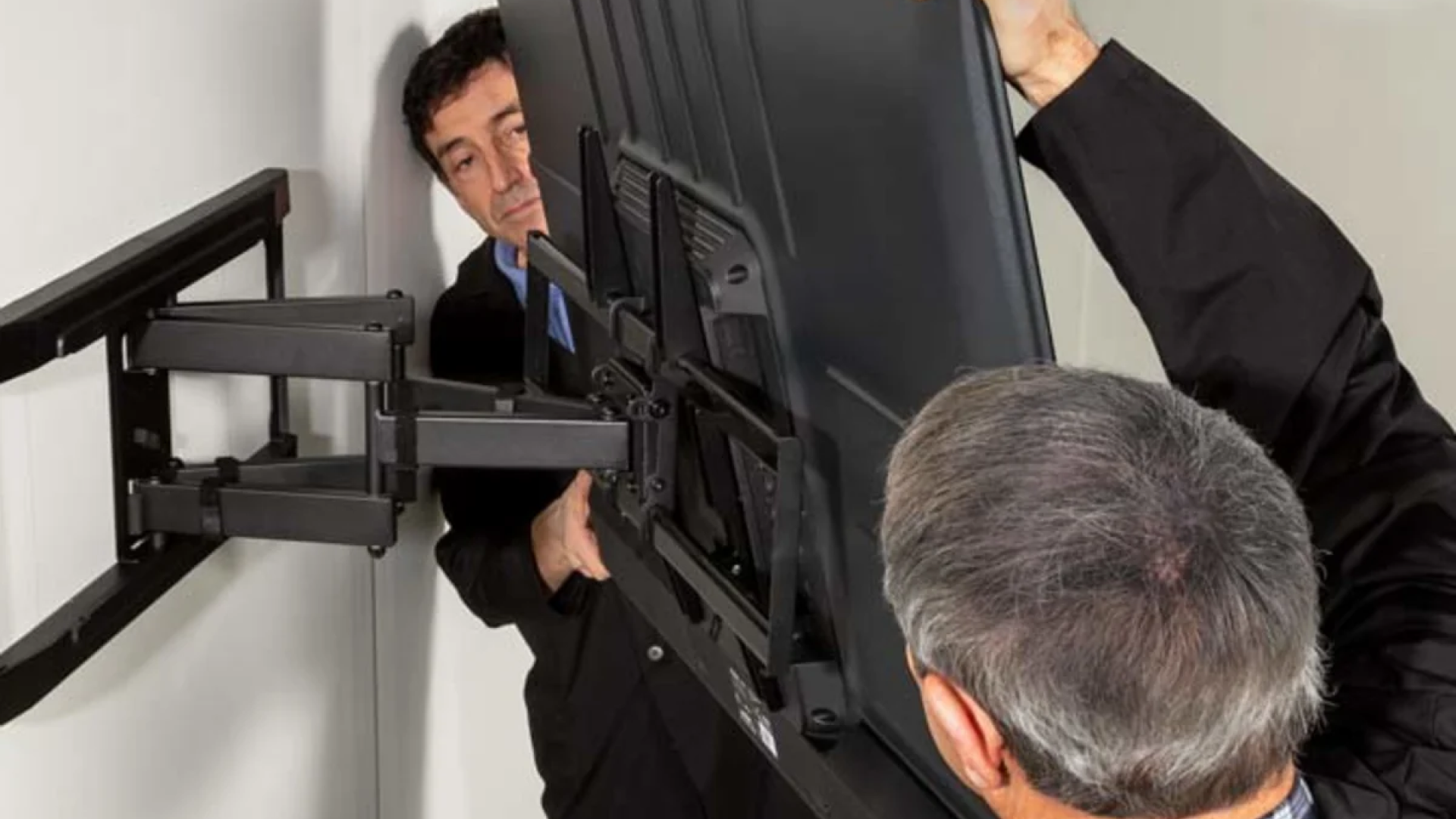
Introduction
Choosing a TV mount sounds straightforward until you see how many options are available. Fixed, tilting, and full-motion TV mounts can all securely hold a television on the wall, but each one is designed for a different type of room, viewing position, and installation requirement.
The right choice depends on more than the size of your TV. Your seating arrangement, mounting height, wall type, room layout, viewing angle, glare, cable connections, and plans for future equipment can all influence which mount makes the most sense.
For homeowners and businesses in Dallas–Fort Worth, these considerations become especially important when mounting a large television, installing a TV on brick or masonry, placing a screen in a corner, or creating a clean entertainment setup with concealed cables and a soundbar.
A fixed mount prioritizes simplicity and a low-profile appearance. A tilting mount adds vertical adjustment, while a full-motion mount provides the greatest flexibility.
This guide explains how each type works, where it performs best, what its limitations are, and how to decide which TV wall mount is right for your space.
What Are the Main Types of TV Mounts?
There are three common categories of TV wall mounts: fixed, tilting, and full-motion. The biggest difference between them is how much movement they allow after the television has been installed.
Fixed TV Mounts
A fixed TV mount holds the television in a stationary position against the wall. It does not normally allow the screen to tilt, swivel, or extend away from the wall.
The biggest advantage is its clean, low-profile appearance. When properly installed, the television can sit relatively close to the wall, creating a simple and uncluttered look.
Fixed mounts are often suitable for rooms where viewers sit directly in front of the TV and the screen does not need to be repositioned.
They can work well for:
Living rooms with a central seating arrangement
Bedrooms
Dedicated home theaters
Minimalist entertainment areas
TVs installed at an appropriate viewing height
Commercial displays with a fixed viewing area
The main limitation is flexibility. Once the TV is mounted, changing its viewing direction generally requires physically repositioning the installation.
Tilting TV Mounts
A tilting TV mount allows the screen to angle vertically. Depending on the model, you can usually tilt the TV upward or downward while keeping its general horizontal position fixed.
This is particularly useful when a television needs to be mounted higher than the ideal eye level.
For example, a bedroom TV may need to sit higher on the wall because of the room's furniture arrangement. Tilting the screen downward can help direct the display toward someone watching from the bed.
A tilting mount can also help with certain glare problems. If a window or light source reflects directly off the screen, changing the vertical angle may reduce the reflection.
The amount of adjustment varies between models, so check the manufacturer's specifications before purchasing.
Full-Motion TV Mounts
Full-motion TV mounts provide the most flexibility of the three options. Depending on the design, the television can generally tilt, swivel from side to side, and extend away from the wall.
This makes a full-motion mount particularly useful when viewers sit in different locations.
Imagine a living room with an L-shaped sectional. People sitting on the side of the room may not have the same viewing angle as someone sitting directly in front of the TV. A full-motion mount can allow the screen to be angled toward different seating areas.
The additional movement does require careful planning. The mount needs adequate clearance, and the wall attachment must be appropriate for the TV's weight and the forces created when the arm is extended.
Fixed vs Tilting vs Full-Motion: How Do You Choose?
The simplest way to make the decision is to think about how you actually use the room.
If your television will always face the same seating area, a fixed mount may be enough.
If the TV needs to be mounted higher and you want to adjust the vertical viewing angle, a tilting mount may be the better option.
If your seating arrangement changes or viewers watch from several angles, a full-motion mount usually provides greater flexibility.
The best TV mount is not necessarily the one with the most movement. It is the one that solves the specific viewing and installation challenges in your room.
When Should You Choose a Fixed TV Mount?
A fixed TV mount is a strong option when you want a simple installation and a clean appearance.
Fixed Mounts Work Well for Straight-On Viewing
If your sofa or chairs are positioned directly in front of the television, there may be little reason to swivel the screen. A fixed mount keeps the TV facing forward and avoids adding movement that you may never use.
Fixed Mounts Create a Low-Profile Appearance
Many homeowners choose fixed mounts because they keep the television close to the wall. This can create a streamlined entertainment area, particularly when cables are properly managed and other devices are positioned out of sight. For modern interiors, a wall-mounted TV with concealed or organized cables can look considerably cleaner than a television sitting on a large piece of furniture.
Fixed Mounts Can Suit Dedicated Home Theaters
A dedicated home theater often has a predictable seating arrangement. If the screen and seating are carefully positioned before installation, a fixed TV mount can provide a straightforward solution. The key is accurate positioning. Because the TV does not move afterward, the mounting height and horizontal alignment should be determined carefully before drilling.
When Is a Tilting TV Mount Better?
A tilting mount is useful when vertical adjustment matters more than side-to-side movement.
Tilting Mounts Are Useful for Higher TVs
One of the most common reasons to choose a tilting mount is that the TV has to be positioned higher than normal. A screen mounted above certain furniture arrangements may sit higher than the viewer's natural eye level. Tilting it downward can create a more direct viewing angle. This does not mean a tilting mount makes any mounting height comfortable. If the television is excessively high, changing the angle may not fully solve the problem. Whenever possible, the TV should be positioned with viewing comfort in mind before selecting the mount.
Tilting Mounts Can Help With Reflections
Glare can make an otherwise excellent TV difficult to watch. Windows, lamps, overhead fixtures, and other light sources can reflect from the display. Tilting the screen may change the angle of reflection enough to make the viewing experience more comfortable. However, glare is a room-design issue as much as a mounting issue. Moving a lamp, adjusting blinds, or changing the TV's position may sometimes be more effective.
Tilting Mounts Are Useful in Bedrooms
Bedroom TVs often have different viewing requirements than living-room televisions. The viewer may be lying or reclining rather than sitting upright. A tilting mount can provide additional vertical adjustment without the bulk or movement of a full-motion bracket.
When Should You Choose a Full-Motion TV Mount?
A full-motion TV mount makes the most sense when flexibility is a priority.
Full-Motion Mounts Work Well With Multiple Seating Areas
If your room has chairs, sofas, recliners, or sectional seating positioned at different angles, a full-motion mount can allow you to direct the screen toward different viewers. This can be especially useful in large family rooms and multipurpose entertainment spaces.
Full-Motion Mounts Are Useful for Corner Installations
Corner TV installations can create challenging viewing angles. A fixed mount may leave the screen facing one direction even when the main seating area is positioned somewhere else. A full-motion bracket can give you more control over the screen's orientation. Before choosing this type of installation, check the available wall space and the mount's extension and swivel range.
Full-Motion Mounts Provide Easier Rear Access
Another advantage is access to the back of the television. When the mount extends away from the wall, it can become easier to reach HDMI ports, Ethernet connections, power cables, streaming devices, and other components. This can be helpful if you frequently change gaming consoles, streaming devices, sound equipment, or other accessories.
Key Factors to Consider Before Purchasing
How Does TV Size Affect Your Mount Choice?
TV size matters, but it is only one part of mount compatibility.
A wall mount should be compatible with the television's:
Weight
VESA mounting pattern
Screen-size range
Mounting-hole configuration
Required hardware
VESA refers to the spacing pattern between mounting holes on the back of many televisions and displays. A mount may support a particular screen size but still be unsuitable for a specific television because the VESA pattern or weight does not match.
Always compare the specifications of the TV with the manufacturer's specifications for the mount. A large TV also creates different installation considerations from a small bedroom display. Larger and heavier televisions require appropriate mounting hardware and a suitable wall attachment method.
What Wall Types Can Support a TV Mount?
The wall surface is one of the most important parts of a safe TV installation.
Drywall TV Mounting
Drywall itself should not automatically be treated as the structural support for a heavy television. You can learn more about structural safety in our guide on whether a tv can be mounted on drywall without damaging the wall. The installer needs to identify the appropriate supporting structure behind the wall and select hardware suitable for the installation. The exact approach depends on the wall construction, TV weight, mount design, and mounting location.
Brick and Concrete TV Mounting
Brick and concrete require masonry-appropriate installation methods. The condition and composition of the surface matter. Proper anchors and drilling techniques should be selected according to the specific wall and mount. This is one reason professional TV mounting can be useful for masonry installations.
Stone, Tile, and Other Finished Walls
Stone, tile, decorative panels, and specialty wall surfaces require additional care. An incorrect drilling location or unsuitable hardware can damage the finished surface. The installer should evaluate the material before deciding where and how to mount the television.
How High Should a TV Be Mounted?
There is no single TV mounting height that works for every home.
A good starting point is the primary viewer's eye level from the normal seating position. For a complete deep-dive on measurements, check out our article on how high should a tv be mounted. The center of the screen is often positioned near the viewer's natural line of sight, but the ideal location varies depending on TV size, furniture height, seating position, room layout, and personal preference.
The goal should be comfortable viewing rather than following an arbitrary measurement. If the TV must be mounted higher because of furniture, architecture, or another constraint, a tilting or full-motion mount may provide useful adjustment. Before drilling, sit in the primary viewing position and consider where the screen should sit. It is much easier to correct the position before installation than after the mounting holes have been made.
Why Cable Management Matters With TV Mounting
A beautifully mounted TV can still look unfinished if cables are hanging visibly beneath it. Modern entertainment setups may require HDMI, Ethernet, power, soundbar, gaming console, streaming device, and other connections. Planning cable management before mounting the television helps create a cleaner result.
Depending on the wall and equipment, options may include:
Cable raceways
Surface-mounted cable covers
Organized external cable routing
Concealed cable routing
Appropriate in-wall cable solutions
The correct option depends on the wall construction and the type of cables being installed. In-wall cable routing should be performed using methods and components appropriate for the application and applicable electrical requirements. Professional cable management planning is particularly important when installing a full-motion TV mount because the cables need enough slack and flexibility to accommodate movement without being pulled or damaged.
Can You Install a Soundbar With a Wall-Mounted TV?
Yes. A soundbar can often be installed as part of the same entertainment setup. Depending on the equipment, the soundbar may be mounted directly below the television or installed separately on the wall. Planning the TV and soundbar together helps maintain proper alignment and makes cable management easier.
The installer can also account for the connections required between the TV and soundbar, including HDMI ARC or eARC, optical connections, power, and other supported interfaces. Professional soundbar installation as part of a coordinated installation can produce a cleaner appearance than mounting the TV first and trying to figure out soundbar placement afterward.
What About Smart TV Setup After Mounting?
Wall mounting is only one part of a modern home entertainment installation. After mounting, a Smart TV may still need to be connected to Wi-Fi or Ethernet, configured with streaming applications, paired with accessories, and connected to other devices. Complete Smart TV setup ensures all software and apps are ready to run smoothly.
Dedicated network wiring can be especially useful when a wired connection is preferred for a Smart TV, streaming device, or other entertainment equipment. If several devices are being installed at once, planning the network and cable connections before mounting can reduce unnecessary rework.
Common TV Mounting Mistakes to Avoid
Choosing a Mount Based Only on Screen Size
A common mistake is buying a mount simply because it says it supports your TV's screen size. Screen size is only one compatibility factor. Weight and VESA pattern should also be checked.
Mounting the TV Too High
A television mounted too high can create an uncomfortable viewing angle. Think about the people who will actually use the TV and where they sit or recline before selecting the final mounting position.
Ignoring Wall Construction
The mounting surface determines what type of hardware and installation method may be appropriate. Do not assume that every wall can support a TV using the same hardware.
Forgetting Cable Connections
Think about every device that needs to connect to the TV before mounting it. Consider HDMI devices, gaming consoles, soundbars, Ethernet, power, streaming devices, and future equipment.
Choosing Full Motion Without Checking Clearance
A full-motion mount needs room to extend and swivel. Nearby cabinets, walls, windows, artwork, doors, or other objects may restrict movement. Measure the space around the television rather than assuming the mount will have unrestricted movement.
Installing Before Planning the Viewing Angle
Mounting a TV first and deciding afterward where everyone will sit can lead to an awkward setup. The room layout should influence the TV's position, not the other way around.
Step-by-Step Selection Guide
Identify the Main Viewing Position: Look at where people normally sit when watching television. If the viewing position is directly in front of the screen, a fixed mount may be sufficient.
Determine the Required Mounting Height: If the TV needs to be higher than the primary viewing position, consider a tilting mount. If the height is flexible and the viewing angle is straightforward, a fixed mount may work.
Look at the Seating Arrangement: Do people sit on different sides of the room? If so, a full-motion mount may provide useful flexibility.
Inspect the Wall: Identify whether the wall is drywall, wood-framed, brick, concrete, stone, tile, or another material. The mounting method should be appropriate for the actual surface.
Verify TV Compatibility: Check the TV's weight and VESA mounting pattern against the mount's specifications. Do not rely on screen size alone.
Plan Cable Management: Determine where HDMI, Ethernet, power, soundbar, and other cables need to go. Planning the route before installation can make the final setup much cleaner.
Think About Future Equipment: If you plan to add a soundbar, gaming console, streaming device, or network connection later, account for those components now. A little planning can prevent having to modify the installation later.
Room-Specific Recommendations
Which TV Mount Is Best for a Living Room?
The best mount depends on the layout of the living room. Read our full analysis on what type of tv wall mount is best for a living room for additional setup ideas.
A fixed mount can be ideal for a traditional setup where the sofa directly faces the TV. A tilting mount may be useful if the TV has to be mounted higher because of furniture or room constraints. A full-motion mount can be a better fit for a large living room with multiple seating areas, a sectional sofa, or a television installed at an angle. Look at the entire room rather than choosing a mount based solely on the television.
Which TV Mount Is Best for a Bedroom?
For many bedrooms, a fixed or tilting mount is sufficient. If the TV is positioned directly in front of the bed and at a comfortable height, a fixed mount can provide a simple installation. If the TV must be mounted higher, a tilting mount can provide additional vertical adjustment. A full-motion mount can make sense if the TV needs to be angled toward different areas of the bedroom or needs to be pulled forward for easier access.
Which TV Mount Is Best for a Home Theater?
A fixed mount is often suitable for a dedicated home theater where the screen and seating positions are carefully planned. If the screen must be mounted higher or the room has seating at different angles, a tilting or full-motion mount may be more appropriate. The most important consideration is the viewing position. The mount should support the desired screen placement rather than determine it.
Final Decision & Professional Installation
Fixed vs Tilting vs Full-Motion: The Final Decision
Each mount type has a specific purpose. A fixed TV mount is best when you want a clean, low-profile installation and the television will remain facing the same viewing area. A tilting TV mount is a good choice when the TV needs vertical adjustment, particularly when it must be mounted higher than the primary viewing position. A full-motion TV mount is the strongest choice when flexibility matters. It can be especially useful for multiple seating areas, corner installations, changing viewing positions, and easier access behind the television.
The right choice ultimately depends on your room, not simply your TV. For a complete entertainment setup, it is also worth considering TV mounting, cable management, Smart TV setup, soundbar installation, TV relocation, TV removal, and network wiring together. Planning these elements as one project can make the final installation more organized and easier to use.
When Should You Consider Professional TV Mounting?
TV mounting may look like a simple DIY project, but several details need to be correct for the finished installation to be safe and functional. The installer needs to account for the TV's weight, VESA pattern, wall construction, mounting hardware, viewing height, bracket movement, cable routing, and surrounding equipment.
Professional installation can be particularly useful for large or heavy televisions, masonry walls, high mounting positions, full-motion mounts, complex cable concealment, soundbar installations, and commercial displays. An experienced AV installer like the team about us at TV Mounting Dallas can also help you choose between fixed, tilting, and full-motion mounts based on the actual room and viewing requirements.
For homeowners and businesses in the Dallas–Fort Worth area, TV installation services can include wall mounting, Smart TV setup, soundbar installation, TV relocation and reinstallation, cable management, TV removal, and network wiring.
Conclusion
Choosing between a fixed, tilting, and full-motion TV mount comes down to your viewing habits, room layout, mounting height, and desired flexibility. A fixed mount provides a simple, low-profile solution for straightforward viewing arrangements. A tilting mount adds vertical adjustment when the TV needs to sit higher or when changing the screen angle can improve viewing. A full-motion mount offers the greatest flexibility for rooms with multiple seating positions, corner installations, or changing viewing angles.
Before buying a mount, check your TV's weight and VESA pattern, inspect the wall structure, think about viewing height, measure the surrounding space, and plan your cable connections. If you're unsure which option is right for your setup, check our FAQ page or explore our blog for more insights, or consult a professional TV mounting specialist who can evaluate the room, television, wall surface, and equipment before installation.
Frequently Asked Questions
What is the difference between a fixed and tilting TV mount?
A fixed TV mount holds the television in one stationary position close to the wall. A tilting mount allows the screen to angle vertically, which can be useful when the TV is mounted higher than the viewer's normal eye level.
Is a full-motion TV mount better than a fixed mount?
Neither option is universally better. A fixed mount is usually better for a simple, low-profile installation, while a full-motion mount is more useful when you need to adjust the television toward different seating positions.
Is a tilting TV mount good for a TV mounted above a fireplace?
A tilting mount can provide useful vertical adjustment when a television must be mounted higher. However, mounting above a fireplace requires consideration of heat, viewing height, wall construction, and the specific fireplace and TV installation.
Can a full-motion TV mount be installed on drywall?
A full-motion TV mount can be installed on suitable drywall-supported structures when the mounting method and hardware are appropriate. The wall structure should be evaluated before installation to determine suitable attachment points.
How do I know what TV mount fits my television?
Check your television's weight, VESA mounting pattern, and supported screen size. Compare those specifications with the manufacturer's requirements for the TV mount before purchasing or installing it.
Does a tilting TV mount help reduce glare?
Tilting the screen can sometimes reduce reflections from windows and lights by changing the display angle. However, glare also depends on room lighting, window placement, screen surface, and the television's position.
Is a full-motion TV mount harder to install?
Full-motion mounts can require more careful installation because their extending arms create additional leverage and require adequate clearance. Correct wall attachment, hardware, positioning, and cable routing are important.
Does TV mounting include cable management?
Cable management can be included as part of a TV installation. Depending on the wall and setup, options may include cable covers, raceways, organized external routing, or appropriate in-wall cable solutions.
Can a soundbar be mounted below a TV?
Many soundbars can be mounted below a wall-mounted television using compatible hardware. The appropriate setup depends on the soundbar, TV, wall surface, mounting configuration, and required audio connections.
What should I consider before mounting a TV?
Consider the TV's weight and VESA pattern, wall construction, viewing height, seating arrangement, mount movement, cable routing, soundbar placement, power access, and future equipment connections before installation.