
Introduction
Modern homes rely on more than electrical outlets and Wi-Fi signals to keep everyday technology running. Smart TVs stream movies, security cameras monitor entrances, computers handle remote work, and gaming systems demand fast, stable connections. Behind many of these devices is a network of cables that carries data throughout the home.
Network wiring and low-voltage cabling help connect these devices, creating a more organized and reliable home technology setup. Although wireless connections are convenient, they cannot always deliver the consistency or performance that certain devices require. A properly planned wired network can reduce connectivity problems, support demanding applications, and make future technology upgrades easier.
Homeowners often hear terms such as Ethernet wiring, structured cabling, data drops, and low-voltage installation without knowing how they differ. Understanding these terms makes it easier to plan a home network, decide which rooms need wired connections, and determine when professional installation is worthwhile.
What Is Network Wiring in a Home?
Network wiring is the installation of physical cables that connect devices to a home network. These cables carry digital information between devices, network switches, routers, and other equipment, allowing computers, televisions, access points, and compatible smart devices to communicate.
For example, an Ethernet cable can connect a Smart TV directly to a router or network switch. Instead of relying entirely on Wi-Fi, the television receives its network connection through a physical cable.
A residential network wiring installation may include:
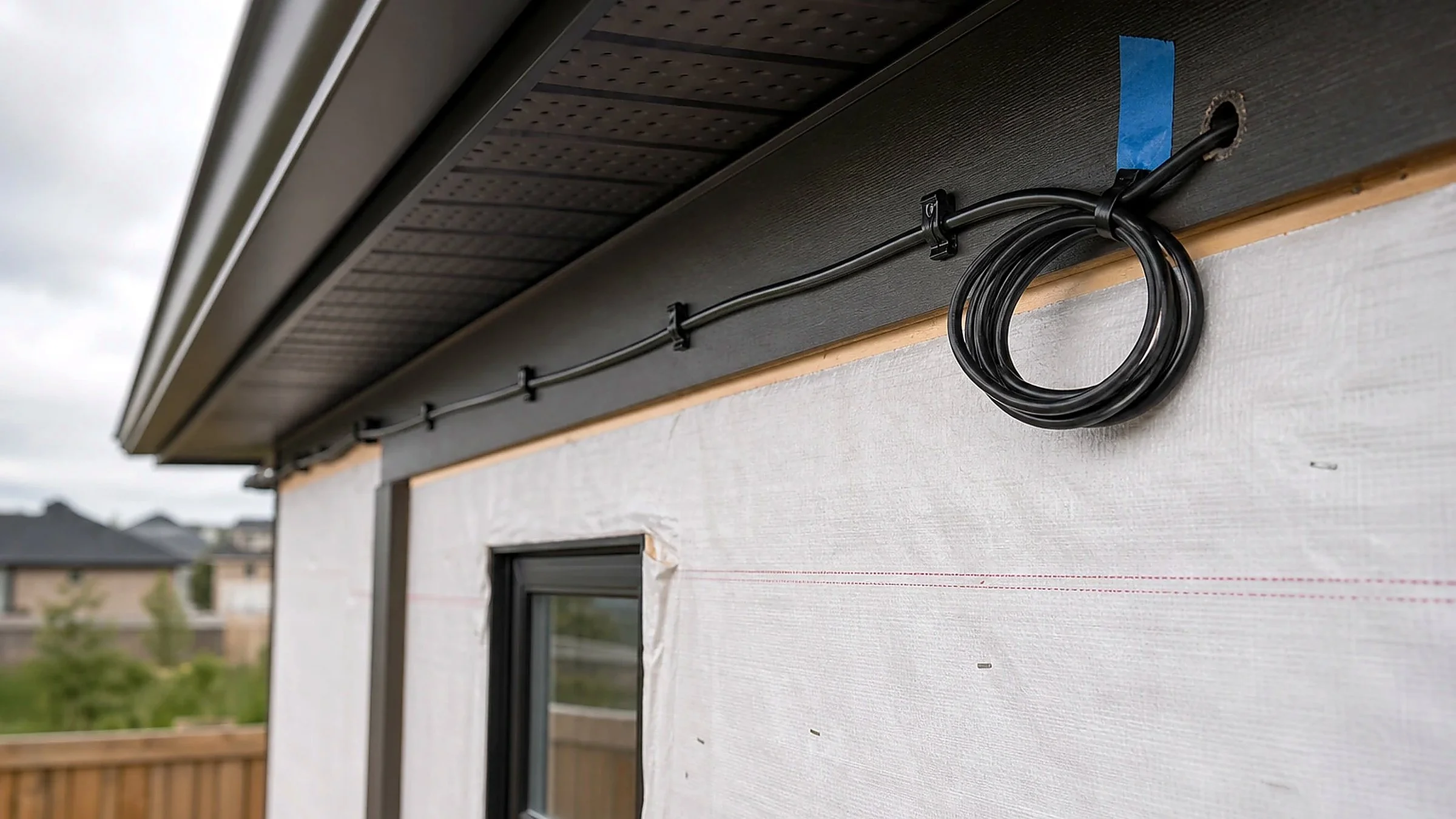
Ethernet cables routed through walls, ceilings, or other suitable pathways.
Wall-mounted Ethernet jacks in bedrooms, offices, and entertainment areas.
Centralized connections near a router, modem, or network switch.
Cabling for wired wireless access points and compatible security equipment.
Organized patch panels and labeled network connections in larger installations.
The goal is to create dependable connections where they are most useful. A home office might need several Ethernet ports for computers and docking stations, while a living room may benefit from wired connections for a television, streaming device, and gaming console.
How Does a Wired Home Network Work?
A typical residential network begins with an internet service provider's connection. A modem or optical network terminal, depending on the service, connects to a router or gateway that manages traffic between the home network and the internet.
Ethernet cables then connect selected devices or network switches to that network. A network switch provides additional wired ports, allowing multiple devices to communicate through a shared network infrastructure.
A simplified setup looks like this:
Internet connection: The service provider delivers internet access to the home.
Router or gateway: The router manages the local network and internet traffic.
Network switch, if needed: A switch expands the number of available wired connections.
Ethernet cabling: Cables carry network data to individual rooms or devices.
Connected equipment: TVs, computers, consoles, and access points use the network connection.
Not every home needs a separate modem, router, and switch. Some internet providers supply an integrated gateway that combines several functions into one device.
What Is Low-Voltage Cabling?
Low-voltage cabling refers to wiring systems that operate at relatively low electrical voltages compared with standard household power circuits. In residential technology installations, the term commonly describes cabling used for data, telecommunications, audio, video, security, and control systems.
Ethernet is one type of low-voltage cabling. Other examples include coaxial cable for cable television or certain internet connections, speaker wire for audio systems, and suitable cables for security cameras or communication systems.
The exact cable depends on the equipment, signal requirements, installation environment, and applicable electrical codes.
Network Wiring vs. Low-Voltage Cabling
These terms are related, but they do not mean exactly the same thing.
Network wiring specifically refers to cabling used to connect devices and transport network data. Low-voltage cabling is a broader category that can include network wiring along with other residential technology cables.
For instance, a homeowner might hire a low-voltage installer to prepare an entertainment room with Ethernet connections, speaker wiring, and coaxial cable. The Ethernet portion supports network connectivity, while the other cables serve different functions.
Understanding the distinction helps prevent confusion when requesting an installation estimate. A contractor needs to know which devices must connect, where the cables should terminate, and whether the project includes data, audio, video, or multiple systems.
Common Types of Low-Voltage Cables
Ethernet Cable
Ethernet cable is commonly used for wired computer networks. Cat5e, Cat6, and Cat6A are familiar categories used in residential installations, with different performance capabilities and installation considerations.
Cat6 is a common choice for new home Ethernet wiring. Cat6A can be appropriate when a project requires support for 10 Gigabit Ethernet over longer standard channel lengths or when additional performance margin is desired. The right selection depends on current equipment, expected upgrades, cable routing, and budget.
Coaxial Cable
Coaxial cable carries radio-frequency signals and is frequently associated with cable television, satellite television, and certain broadband connections. Some homes retain coaxial outlets even after switching to streaming services.
Coaxial cabling can also be used with compatible networking technologies, although it serves a different purpose from a standard Ethernet connection.
Speaker Wire
Speaker wire carries audio signals from an amplifier or receiver to compatible passive speakers. It is commonly installed for surround-sound systems, ceiling speakers, and whole-home audio.
Speaker wire is not a substitute for Ethernet cable. Each serves a different function within a home entertainment system.
Fiber-Optic Cable
Fiber-optic cable transmits information using light rather than electrical signals. It can support high bandwidth over long distances and is useful in certain advanced residential network installations.
Fiber may be appropriate for larger homes, dedicated network links, or connections between equipment locations. However, it generally requires compatible optical equipment and should be selected according to the actual network design.
Clarify the Difference Between Cable Types
Selecting the correct cable is essential for ensuring your system works as intended. While network wiring handles data transmission, other low-voltage cables handle dedicated audio and video signals. If you are setting up surround sound or multi-room audio, utilizing professional soundbar installation dallas ensures audio cables are hidden and configured correctly alongside your network setup.
Why Do Homeowners Need Network Wiring?
A wireless network can handle many everyday tasks, but certain devices benefit from a direct wired connection. The main advantages of residential network cabling involve reliability, performance, organization, and long-term flexibility.
More Consistent Connectivity
Wi-Fi performance can vary because of distance, interference, building materials, network congestion, and the capabilities of connected devices. Thick walls, metal structures, and some building layouts can make it difficult for a wireless signal to reach every room consistently.
A direct Ethernet connection avoids the wireless link between the device and the local network. This can be particularly helpful for desktop computers, gaming consoles, televisions, and work equipment that remain in one location.
Wired connections do not eliminate every possible network problem. Router performance, internet service interruptions, damaged cables, and configuration issues can still affect connectivity.
Better Support for Streaming and Gaming
Streaming services, online gaming, and video conferencing all depend on a reliable network connection. A wired connection can reduce local wireless interference and may help provide more consistent latency for gaming and real-time communication.
The actual benefit depends on the internet plan, router, device, network configuration, and quality of the existing Wi-Fi connection. Ethernet does not automatically increase the speed purchased from an internet provider, but it can help devices use the available connection more consistently.
A More Reliable Home Office
Remote work often involves video meetings, large file transfers, cloud applications, and virtual desktops. A dropped connection during an important meeting can interrupt work and create unnecessary frustration.
Installing Ethernet in a home office gives compatible computers and docking stations a direct connection. It also frees some wireless capacity for phones, tablets, and other mobile devices.
Cleaner Entertainment and Technology Areas
Network wiring can help reduce visible cables around entertainment centers and workstations. Wall plates, concealed cable pathways, and a centralized equipment location create a more organized installation.
When combined with professional tv wall mounting dallas and clean cable management dallas, Ethernet connections can help keep the television area neat while allowing streaming devices, consoles, and compatible equipment to remain connected.
Where Should Ethernet Ports Be Installed in a Home?
The best locations depend on how each room is used. Rather than installing ports everywhere without a plan, homeowners can prioritize spaces where equipment stays in place or needs a particularly dependable connection.
Living Rooms and Home Theaters
Living rooms frequently contain several connected devices, including Smart TVs, streaming players, gaming consoles, and AV receivers. A wired network connection can help reduce dependence on Wi-Fi for equipment that supports Ethernet.
Consider placing network outlets behind or near the television, entertainment cabinet, and other equipment locations. Before mounting a TV, identify where power, Ethernet, HDMI connections, and other cables need to go, as asking if should cable routing be planned before mounting a tv can help avoid messy rewiring later.
A well-planned installation can reduce visible wiring while leaving enough access for maintenance and future equipment changes.
Home Offices
Home offices are strong candidates for Ethernet wiring because computers, docking stations, printers, and other equipment often occupy permanent positions.
Consider installing more than one network outlet if multiple devices need wired access. A nearby switch can expand connectivity when necessary, provided the cabling and equipment are designed appropriately.
Bedrooms
Bedrooms may need network outlets for televisions, gaming equipment, or workstations. Planning the outlet location before furniture is installed can prevent cables from crossing walkways or running visibly along walls.
A spare Ethernet connection can also provide flexibility if a bedroom later becomes an office or study area.
Ceiling Locations for Wi-Fi Access Points
Some homes have areas where a single router cannot provide adequate wireless coverage. A wired ceiling-mounted access point can extend Wi-Fi to another floor or distant part of the property.
Running Ethernet to a suitable access point location gives the access point a wired connection to the network. This is different from simply placing a wireless extender where the existing signal is already weak.
Security and Smart Home Equipment
Some security cameras, doorbells, access systems, and smart home devices support wired connections. Certain network cameras use Power over Ethernet, or PoE, which can carry both data and electrical power through a compatible Ethernet cable.
PoE can simplify installation because a compatible device may not need a separate nearby power adapter. However, the switch or injector must provide the required PoE standard and power budget, and the device must support it.
How Is Network Wiring Installed?
A professional residential network cabling project generally begins with planning, followed by cable routing, termination, testing, and documentation. The details vary depending on whether the home is under construction, undergoing renovation, or already occupied.
Step 1: Assess the Home and Network Needs
The installer identifies the devices that need wired connections, the locations of the outlets, and the likely route between each outlet and the central network equipment.
This assessment should consider the number of devices, building materials, available pathways, network equipment, and possible future changes. Existing wiring may also need inspection before deciding whether new cables are necessary.
Step 2: Select the Appropriate Cable
Cable selection depends on the intended use and the performance required. Cat6 Ethernet is suitable for many residential installations, while Cat6A or fiber may be appropriate for specific requirements.
The installer should also consider the cable's listing and suitability for the location. For example, cables installed in air-handling spaces may need an appropriate plenum rating where required by code.
Step 3: Plan the Cable Routes
Cables may travel through accessible attics, crawl spaces, wall cavities, basements, or designated pathways. Routing must account for framing, insulation, fire barriers, existing utilities, and access limitations.
Low-voltage wiring should be appropriately separated from electrical power wiring, with installation methods that comply with applicable codes. Drilling or cutting into a wall without checking for electrical wiring, plumbing, and structural components can create safety risks.
Step 4: Run and Terminate the Cables
The installer routes each cable between the central distribution point and the planned outlet. Ethernet cables are terminated at compatible jacks, patch panels, or plugs using methods appropriate for the installation.
Proper cable handling matters. Excessive pulling force, sharp bends, crushed sections, and poorly installed connectors can affect performance even when the cable category is suitable.
Step 5: Test and Label Every Connection
Testing helps confirm that each cable is connected correctly and that the installed link meets the required performance level. Depending on the project, testing may include wire-map checks, continuity checks, or certification testing.
Each cable and outlet should be labeled clearly. Documentation makes it easier to identify the correct connection when replacing equipment, troubleshooting a problem, or adding network devices later.
Step 6: Connect Devices and Verify Operation
After the cabling is complete, the installer or network technician can connect compatible equipment and confirm network access.
A successful physical cable test does not automatically guarantee internet access. Router settings, network configuration, internet service, and device compatibility may require separate checks.
What Is Structured Cabling?
Structured cabling is an organized approach to installing and managing the cables that support a building's communication and technology systems. In a home, it often means routing individual cable runs from rooms back to a central distribution location.
That central location may contain a patch panel, network switch, router, coaxial distribution equipment, and other components. The equipment should have appropriate ventilation, accessible connections, and enough room for maintenance.
Structured Cabling vs. Individual Cable Runs
An individual cable run can connect one device to a router without a broader cabling plan. Structured cabling organizes multiple connections so they can be managed and expanded more easily.
For example, a new home might have Ethernet outlets in the living room, office, bedrooms, and ceiling locations for access points. Each cable run returns to a central panel, allowing the homeowner to connect selected outlets to a network switch.
This arrangement is useful when several rooms need connectivity or when future upgrades are likely. A small home with only one or two wired devices may need a simpler setup.
Common Misconceptions About Home Network Wiring
Does Ethernet Always Make the Internet Faster?
No. Ethernet can improve the consistency of the connection between a device and the local network, but it cannot exceed the practical limits of the internet service, router, network hardware, or connected device.
A home with a slow internet plan may still experience slow downloads over Ethernet. A wired connection is most helpful when it addresses an actual bottleneck, such as weak Wi-Fi or local wireless interference.
Does Every Smart TV Need Ethernet?
No. Many Smart TVs work well over Wi-Fi. Ethernet is worth considering when the television has an available Ethernet port and the wireless connection is unreliable or when the homeowner prefers a fixed wired connection. Understanding what does a professional smart tv setup include can help you decide if a wired data drop is necessary during installation.
Check the television's specifications before planning the installation. Not every model supports the same network interfaces or maximum wired speeds.
Is Low-Voltage Wiring the Same as Electrical Wiring?
No. Network, audio, and communication cables serve different functions from standard household power wiring. They must be installed using methods appropriate to their purpose and the applicable electrical and building codes.
Low voltage does not mean risk-free. Incorrect routing, unsuitable cable ratings, and improper installation around electrical systems can create hazards or code violations.
Can Existing Wi-Fi Equipment Replace All Network Cabling?
Wireless mesh systems and modern routers can provide excellent coverage in many homes. However, they do not eliminate every reason for wired connections.
A wired network can serve stationary devices and provide wired backhaul for compatible access points or mesh units. The most suitable design may combine Ethernet for key devices with Wi-Fi for phones, tablets, and other mobile equipment.
DIY Network Wiring vs. Professional Installation
Homeowners can connect Ethernet cables between devices and install simple plug-in networking equipment without opening walls. More complex projects involving concealed wiring, multiple rooms, ceiling access, or centralized distribution require additional planning and technical knowledge.
Professional installation may be worthwhile when cable routes are difficult to access, several rooms need connections, or the finished result must keep wires hidden. Hiring experts for dedicated network wiring dallas allows an experienced installer to assess cable pathways, select appropriate materials, terminate connections, and test the completed runs safely.
Before hiring a contractor, ask what is included in professional tv wall mounting and cabling to confirm whether the quote covers cable, wall plates, terminations, testing, labeling, patch panels, and cleanup. Confirm whether wall repairs, painting, network equipment, and configuration are included or billed separately.
For new construction or a major renovation, planning low-voltage cabling before walls are closed can make installation easier. In an existing home, the best approach depends on access, construction type, and the desired locations of network outlets.
How to Plan a Future-Ready Home Network
A good cabling plan should serve current devices without making future changes unnecessarily difficult. Homeowners do not need to predict every technology upgrade, but a few practical decisions can improve long-term flexibility.
Start by listing the devices that would benefit from Ethernet. Include televisions, desktop computers, gaming consoles, workstations, network storage devices, and access points where applicable.
Next, identify a suitable central equipment location. It should be accessible, protected from unsuitable environmental conditions, and able to accommodate the equipment's ventilation and power requirements.
Consider these planning principles:
Install outlets near equipment locations rather than relying on long visible patch cables.
Use suitable cable categories for expected network speeds and installation conditions.
Allow spare capacity where future devices are reasonably likely.
Label both ends of each cable and maintain a simple connection map.
Plan for wired access points if the home's layout creates Wi-Fi coverage challenges.
Keep network equipment accessible for troubleshooting and upgrades.
Verify that cable pathways, fire stopping, and installation methods meet applicable requirements.
Homeowners should also distinguish between cabling capacity and active network capacity. Installing several Ethernet outlets does not mean every outlet will provide service automatically; the necessary switch ports, router configuration, and compatible equipment must also be available.
Add a Homeowner-Focused Installation CTA
If you are upgrading your home entertainment area or home office, coordinating your network cabling with your TV and device setup saves time and creates a seamless look. For complete mounting, connectivity, and hardware setup, professional tv setup installation dallas services ensure all your streaming, audio, and network gear work together efficiently from day one.
Conclusion
Network wiring and low-voltage cabling provide the physical connections that support internet access, entertainment, communication, and smart home technology. Ethernet is one of the most common options, but a complete residential cabling plan may also include coaxial cable, speaker wire, fiber, and connections for compatible security or control systems.
The right setup depends on the home's layout, connected devices, performance needs, and plans for future upgrades. Wired connections can improve consistency for stationary equipment, while Wi-Fi remains convenient for mobile devices throughout the home.
For homeowners planning a new entertainment center, home office, or multiroom network, identifying cable routes and outlet locations early can prevent unnecessary clutter and rework. Professional planning, appropriate materials, careful installation, and thorough testing help create a network infrastructure that is organized, dependable, and easier to maintain.
Frequently Asked Questions
1. What is the difference between network wiring and low-voltage cabling?
Network wiring carries data between networked devices, routers, and switches. Low-voltage cabling is a broader category that also includes certain audio, video, telecommunications, security, and control-system cables used in residential installations.
2. What type of Ethernet cable is best for a home?
Cat6 is a practical choice for many new residential Ethernet installations. Cat6A may be suitable when higher performance requirements justify the additional cost. The best option depends on network equipment, cable distance, installation conditions, and expected future needs.
3. Is wired internet better than Wi-Fi for a Smart TV?
Ethernet can provide a more consistent connection when Wi-Fi suffers from interference, distance, or congestion. However, a Smart TV with reliable Wi-Fi may not need a wired connection. The best choice depends on the TV, router, network conditions, and internet service.
4. How much does home network wiring cost?
The cost depends on the number of cable runs, distance, wall construction, accessibility, cable category, outlet locations, and testing requirements. Concealed wiring through finished walls may require more labor than installation during new construction. Request an itemized estimate for an accurate project cost.
5. Can Ethernet cables be installed inside existing walls?
Yes, Ethernet can often be routed through existing walls, attics, crawl spaces, or other accessible pathways. Feasibility depends on the building's construction, available access, obstructions, and local requirements. A site assessment helps determine the most appropriate route.
6. Does Ethernet wiring improve Wi-Fi coverage?
Ethernet does not directly strengthen a Wi-Fi signal, but it can provide a wired connection to additional wireless access points. This allows compatible access points to serve distant rooms without depending entirely on a wireless link back to the main router.
7. What is Power over Ethernet, and why is it useful?
Power over Ethernet, or PoE, allows compatible equipment to receive both network data and electrical power through an Ethernet cable. It is commonly used with certain access points, network cameras, and communication devices. Compatible equipment and adequate power capacity are required.
8. How many Ethernet ports should a home have?
The number depends on household needs and room layouts. A home office, entertainment area, and access point locations may each benefit from wired connections. Planning for a few additional connections can provide flexibility as devices and room uses change.
9. Is structured cabling worth installing in an existing home?
Structured cabling can be worthwhile when several rooms need reliable wired connectivity or when a homeowner wants an organized foundation for future technology. The value depends on installation cost, building accessibility, current Wi-Fi performance, and the number of devices that benefit from Ethernet.
10. Should network wiring be installed before mounting a TV?
Planning network wiring before mounting a TV is helpful because it allows the installer to coordinate Ethernet outlets, power access, HDMI connections, and cable concealment. Knowing how does professional cable management improve a wall mounted tv setup can reduce visible wires and avoid repeating work later. Cable placement should account for the TV's ports, mount design, and connected equipment.